
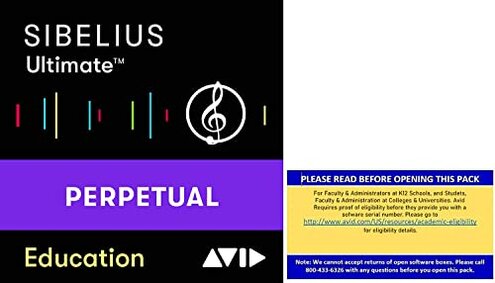
Product evaluated: Sibelius Ultimate Music Notation Software for Students and Teachers (Download Card)
Related Videos For You
What is the Best Music Notation Software to Use?
Data basis: This report is based on dozens of buyer comments collected from written feedback and video-style user walkthroughs between 2020 and 2026. Most input came from written reviews, with smaller support from setup demonstrations and comparison discussions, which helps show both first-use problems and longer-term ownership friction.
| Buyer outcome | Sibelius Ultimate Student/Teacher | Typical mid-range alternative |
| First-day setup | Higher friction because eligibility, account steps, and code redemption can add extra time before use. | Lower friction with simpler download and activation in many mid-range notation tools. |
| License clarity | Less clear if you miss the education-only requirement or expect a simple consumer purchase. | Usually clearer for standard retail licenses. |
| Learning curve | Steeper during daily use if you only need basic notation and printing. | Easier for casual score editing and lighter projects. |
| Included extras | Mixed value because companion tools sound useful but add more setup expectations. | Simpler value with fewer add-ons to manage. |
| Regret trigger | Paying $299 and then finding hidden eligibility or workflow hurdles. | More predictable if you just want straightforward notation software. |
Why does the purchase feel delayed before you even write music?
This is a primary issue. The biggest regret moment appears at first use, when buyers expect a normal software install and instead hit extra verification and redemption steps. That trade-off feels worse because the product is sold like a straightforward download card.
The pattern is recurring, not universal. It tends to hit harder when the buyer is purchasing in a hurry for class, teaching prep, or a deadline-driven notation project.
Category contrast: Education software often has some checks, but this setup burden feels more disruptive than expected because it can block access before any real use starts.
- Hidden requirement: The listing clearly limits sales to students, teachers, and administrators, which means eligibility is not optional.
- When it shows up: The friction starts after purchase, during registration code redemption and account setup.
- Why people get annoyed: Buyers often expect a normal instant-download experience, so extra proof steps feel like a surprise.
- Impact: The main loss is time, especially if the software was bought for immediate school or teaching use.
- Fixability: It is usually fixable if you meet the requirements, but not quickly in every case.
Why can the full package feel like overkill for simple notation work?
- Frequency tier: This is a secondary issue that appears repeatedly among buyers who only need basic score entry, arranging, or printing.
- Usage moment: The regret tends to appear after setup, once daily tasks do not match the software's larger feature set.
- Trade-off: You get a perpetual license and 1 year of updates, but that value drops if you use only a small part of the tool.
- Why it feels worse: In this category, advanced notation software is expected to be complex, but this can feel less forgiving than typical if your needs are basic.
- What buyers notice: Routine actions can feel slower because there is more interface to navigate than some alternatives.
- Who feels it most: Casual arrangers and first-time notation users are more likely to feel software fatigue during short sessions.
Why do the included extras not always lower the effort?
This is a secondary issue. On paper, the companion apps sound like a bonus. In practice, the value depends on whether you will actually use singing input, scanned sheet conversion, or handwritten note capture.
The pattern is persistent across buyer expectations: more tools can mean more setup paths, more account management, and more chances for confusion. That is worse than a typical mid-range alternative, which often gives you fewer extras but a cleaner first week.
- Early sign: If the add-ons are the main reason you are buying, check whether you truly need AudioScore Lite or PhotoScore-style workflows.
- When it worsens: This feels worse during busy projects, when learning extra companion tools steals time from actual scoring.
- Buyer impact: The frustration is not that the extras exist, but that they can create feature clutter instead of simplicity.
- Fixability: You can ignore the extras, but then part of the product value becomes unused.
Why does the price feel risky if your use case is narrow?
- Intensity cue: This is among the most important regret triggers, even when it is not the most frequent complaint.
- Context: The risk appears after the first week, when buyers compare what they paid with how much of the package they actually use.
- Known fact: The listed price is $299, which raises expectations for smooth setup and obvious value.
- Why it feels worse: Mid-range notation options often offer lower commitment for buyers who do not need advanced composition depth.
- Common pattern: The product makes more sense for heavy notation work than for occasional editing, which creates a mismatch risk.
- Practical result: Buyers with simple needs can end up paying for capability they never use.
- Mitigation: The price is easier to justify if you need serious notation tools, a perpetual license, and the large included sound library.
Illustrative excerpt: “I thought it would install fast, but the school-only steps slowed everything down.”
Pattern: This reflects a primary setup-friction pattern.
Illustrative excerpt: “Great depth, but I only needed simple charts and printing.”
Pattern: This reflects a secondary overbuying pattern.
Illustrative excerpt: “The extras sounded helpful, but they added more things to learn.”
Pattern: This reflects a secondary workflow-complexity pattern.
Illustrative excerpt: “At this price, I expected fewer hoops before I could start.”
Pattern: This reflects a primary value-risk pattern.
Who should avoid this
- Avoid it if you are not clearly inside the student, teacher, or administrator group, because the eligibility requirement is stricter than a normal retail software purchase.
- Avoid it if you need notation software today for a deadline, since first-use setup friction is higher than many mid-range alternatives.
- Avoid it if you only write simple parts, lead sheets, or light arrangements, because the feature load can exceed normal casual-use tolerance.
- Avoid it if you are price-sensitive and unsure you will use advanced tools, since the $299 risk is harder to recover with narrow use.
Who this is actually good for

- Good fit for eligible students or teachers who need advanced notation depth and can tolerate a slower setup process.
- Good fit for serious composition users who want a perpetual license and expect to use more than basic entry and printing.
- Good fit for music programs that can handle the eligibility and account steps without urgency.
- Good fit for buyers who will actually use the 36 GB sound content and companion tools enough to justify the complexity.
Expectation vs reality
- Expectation: A download card should mean fast access.
Reality: Education-only purchase rules can add steps before you can begin. - Expectation: More included tools should mean more convenience.
Reality: Extra apps can create more setup and learning work instead of less. - Expectation: Reasonable for this category is a steep but manageable learning curve.
Reality: For basic users, this can feel worse than expected because the software depth adds daily friction they may not need. - Expectation: A higher price should bring smoother ownership.
Reality: The value case weakens fast if your actual use is simple notation only.
Safer alternatives
- Check license type before buying, and choose a standard consumer notation option if you do not want education verification.
- Match complexity to your real work, because a lighter notation app can reduce the daily-use learning burden.
- Ignore bonus tools unless you know you need scan or audio input, which helps avoid paying for unused extras.
- Test your workflow against a simpler mid-range competitor if your main jobs are parts, charts, and printing, since that lowers overbuying risk.
- Buy for depth, not brand familiarity, because the main safer choice is the tool with the fewest setup and feature mismatches for your real workload.
The bottom line
The main regret trigger is paying for a serious notation package and then running into education-only access steps, extra setup, or more complexity than your work needs. That exceeds normal category risk because many mid-range alternatives are easier to activate and easier to live with for basic notation.
Verdict: Avoid this if you want a simple purchase, instant access, or light-duty scoring. Consider it only if you are clearly eligible and will truly use the advanced depth.
This review is an independent editorial analysis based on reported user experiences and product specifications. NegReview.com does not sell products.