
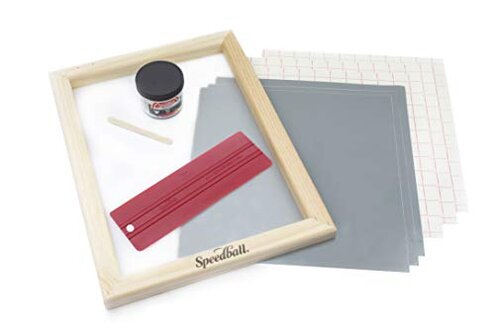
Product evaluated: Speedball Beginner Screen Printing Craft Vinyl Kit, Use with Cutting Machine to Easily Print Custom T-Shirts and Home Decor
Related Videos For You
How To Screen Print for Beginners
How to Screen Print using Vinyl
Data basis: This report summarizes dozens of feedback points collected from product-page comments, written buyer impressions, and video-style demonstrations from 2020 to 2026. Most feedback came from written reviews, with added context from visual setup walk-throughs showing how the kit behaves during first-use printing.
| Buyer outcome | This kit | Typical mid-range alternative |
|---|---|---|
| First-use success | Less forgiving; setup errors are more likely during the first project | More consistent; usually easier to get a usable first print |
| Learning effort | Higher; hidden prep steps can slow beginners down | Moderate; still some practice, but fewer surprises |
| Repeatability | Mixed; results can change from one design to the next | Steadier; more predictable repeat prints |
| Cleanup and rework | Above normal; mistakes add extra time and wasted materials | Typical; cleanup is expected but less punishing |
| Regret trigger | Buying for “easy” use and then hitting a fussy first setup | Usually lower; trade-offs are clearer up front |
Did you buy this expecting an easy first print?
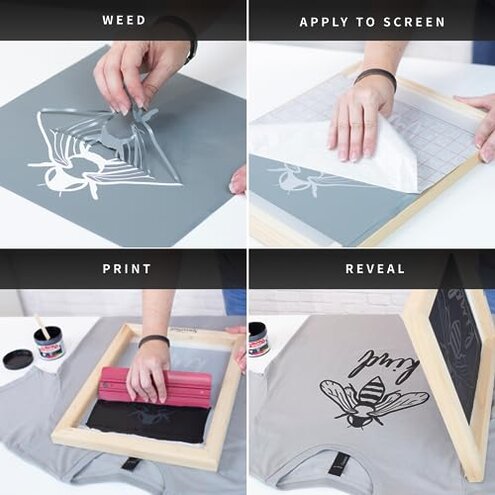
Primary issue: The biggest regret point appears during first use, when buyers expect a simple craft kit and instead run into a process that is less intuitive than the product promise suggests.
Recurring pattern: This is among the most common complaints, especially when users move from cutting the design to actually transferring and printing it in one session.
Why worse: Screen printing always has a learning curve, but this kit is described as less forgiving than typical beginner options because small setup mistakes can ruin the first result fast.
Hidden requirement: Many buyers seem to discover only after opening it that they need a more careful workflow and cleaner technique than the “quick and simple” pitch implies.
Why do prints come out uneven or disappointing?
- Pattern: Uneven results are a primary issue and appear repeatedly across beginner feedback.
- When: It tends to show up after setup, once ink is pulled across the screen for the first real print.
- Trigger: The problem worsens when users try detailed shapes or expect clean shirt-ready results right away.
- Impact: Buyers often feel they wasted a shirt, transfer sheet, or time before understanding what went wrong.
- Baseline gap: Some inconsistency is normal in screen printing, but this feels more disruptive than expected for a kit sold to beginners.
- Fixability: Practice can improve results, but that undercuts the main reason many shoppers choose a beginner bundle.
Does the vinyl-based method save time, or add extra steps?

- Frequency tier: This is a secondary issue, but it is more frustrating when it happens because it affects the whole workflow.
- Usage moment: The friction appears during design prep, transfer, and screen placement before any ink hits fabric.
- Hidden step: Buyers commonly report that the process needs more precision than expected from a no-chemicals beginner approach.
- Time cost: Instead of feeling streamlined, the method can add rework if the design does not transfer cleanly the first time.
- Category contrast: Craft shortcuts usually trade some flexibility for ease, but here the ease benefit can feel smaller than normal.
- Who notices most: Users with a cutting machine but no printing experience tend to feel the mismatch most strongly.
- Result: The kit can start to feel like two hobbies combined, rather than one beginner-friendly shortcut.
Will this stay useful after the first project?
- Pattern: Repeat-use concerns are a secondary pattern that show up once buyers try multiple designs.
- When: The issue appears after early practice, when shoppers expect faster, smoother follow-up projects.
- Problem: The reusable idea sounds efficient, but repeated setup still asks for careful handling and can lose its convenience.
- Trade-off: Buyers expecting quick custom batches often find the process better for occasional experiments than regular production.
- Severity: This is less frequent than first-use frustration, but more frustrating when it occurs because it affects the value of the whole kit.
Are the included supplies enough to learn comfortably?
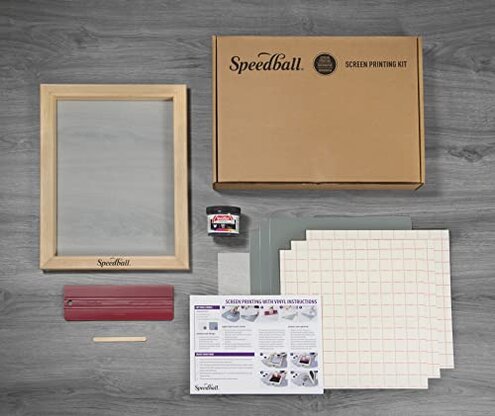
- Edge-case concern: Supply limitation is an edge-case issue, but it matters when early mistakes happen.
- When: It becomes obvious during first attempts, especially if a beginner needs multiple practice runs.
- Impact: Limited included materials can make a bad first print feel more expensive in effort and replacement needs.
- Baseline gap: Starter kits usually expect some waste, so this can feel less generous than typical for true beginners.
Illustrative excerpts
Illustrative: “I thought this would be fast, but setup took longer than the print.”
Pattern: This reflects a primary setup-friction complaint.
Illustrative: “My first shirt looked patchy even though I followed the steps.”
Pattern: This reflects a primary print-consistency problem.
Illustrative: “Using the cutter was easy, but the printing side was the hard part.”
Pattern: This reflects a secondary workflow mismatch.
Illustrative: “It works, but not in the simple beginner way I expected.”
Pattern: This reflects a secondary expectation gap.
Who should avoid this
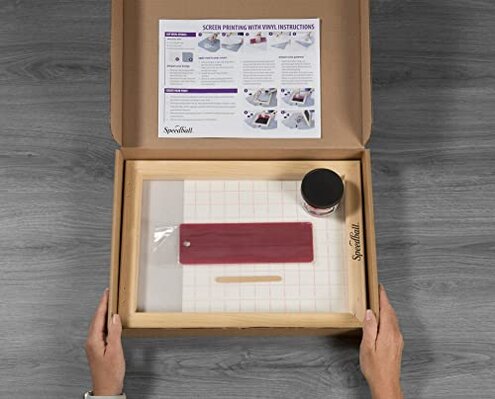
- Avoid it if you want a kit that feels almost foolproof on the first project.
- Avoid it if wasted shirts or repeated practice runs would bother you more than normal craft trial and error.
- Avoid it if you are buying mainly for speed, because setup friction is a repeated complaint.
- Avoid it if you want to make frequent batches, since the repeat-use convenience looks weaker than expected.
Who this is actually good for
- Good fit for crafters who already enjoy tweaking settings and testing scrap materials before a final print.
- Good fit for buyers who already own a cutting machine and mainly want to experiment with basic screen printing concepts.
- Good fit for occasional hobby use, where a slower process is acceptable and mistakes are part of the project.
- Good fit for users willing to tolerate uneven early results in exchange for avoiding more advanced chemical-based methods.
Expectation vs reality
Expectation: A beginner kit should still need practice, but a reasonable category expectation is getting one decent first print without major rework.
Reality: Here, the first project appears more fragile than expected, and small setup errors can cascade into disappointing results.
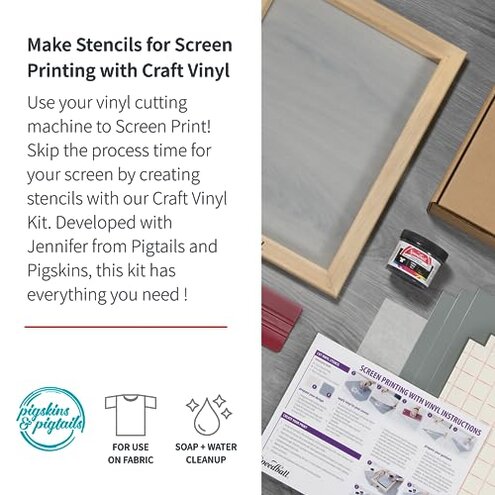
- Expectation: Vinyl plus screen printing sounds like a shortcut.
- Reality: The shortcut can become extra coordination between cutting, transfer, placement, and printing.
- Expectation: Reusable tools should make later projects easier.
- Reality: Follow-up projects can still feel fussy enough to reduce the value of reusability.
Safer alternatives
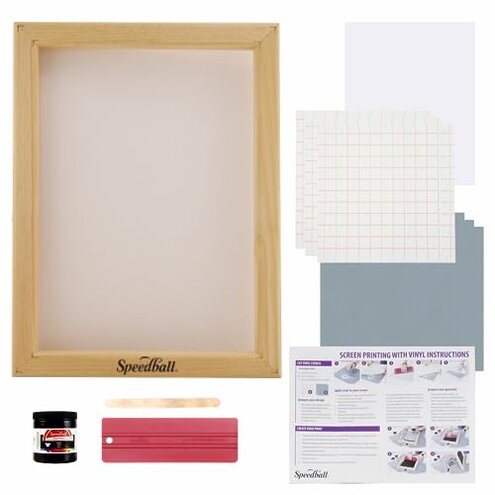
- Choose a beginner screen printing set with stronger step-by-step guidance if your main risk is first-use confusion.
- Look for kits known for forgiving first prints if uneven output would ruin the experience for you.
- Prefer a simpler single-method craft system if combining vinyl cutting and printing sounds like too many failure points.
- Buy extra practice materials upfront if you still want this approach but want to reduce the sting of early mistakes.
The bottom line
Main regret: Buyers most often run into a gap between the easy beginner promise and the more delicate real setup. That is a higher-than-normal risk for this category because starter kits are supposed to reduce early failure, not magnify it.
Verdict: Skip this if you want a smooth first screen-printing experience. It makes more sense for patient hobby users than for shoppers looking for a truly simple starter kit.
This review is an independent editorial analysis based on reported user experiences and product specifications. NegReview.com does not sell products.