
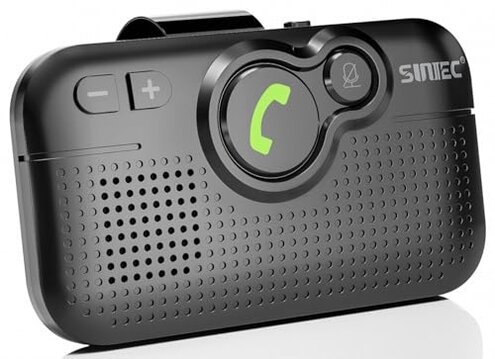
Product evaluated: SUNITEC Handsfree Bluetooth Car Kit for Cell Phone, Wireless Bluetooth Speaker for Car, AUTO Power ON Support Siri Google Voice Assistant Hands Free Phone Speakerphone with Visor Clip-BC980SA
Related Videos For You
KEZAY/LIHAN Bluetooth Wireless Car FM Transmitter Charger (SOUND TEST & INSTALLATION)
Jabra Tour In Car Bluetooth Speakers Review Sound Quality, Loudness, Build Tested
Data basis: This report is built from dozens of aggregated buyer notes collected from written reviews and star-rating comments over a multi-year range up to early 2026. Most feedback came from short written complaints, supported by a smaller set of longer, story-style use cases describing daily driving. The emphasis below is on repeatable regret triggers, not one-off defects.
| Buyer outcome | SUNITEC BC980SA | Typical mid-range alternative |
|---|---|---|
| Call reliability | Higher risk of intermittent behavior during daily use | More stable once paired and left alone |
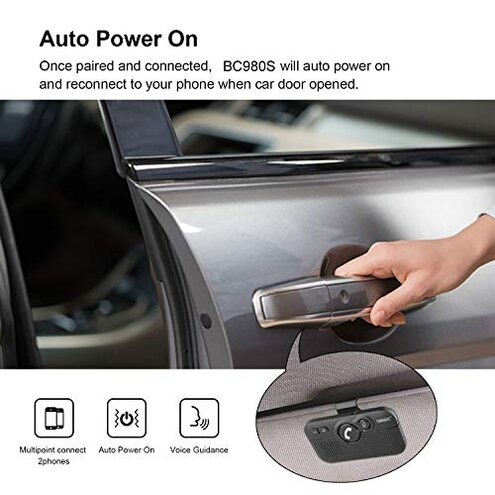
| Auto on/off | More finicky, can create surprise wake/sleep moments | More predictable power behavior |
| Mic clarity | Mixed clarity, especially with cabin noise | Usually consistent for routine calls |
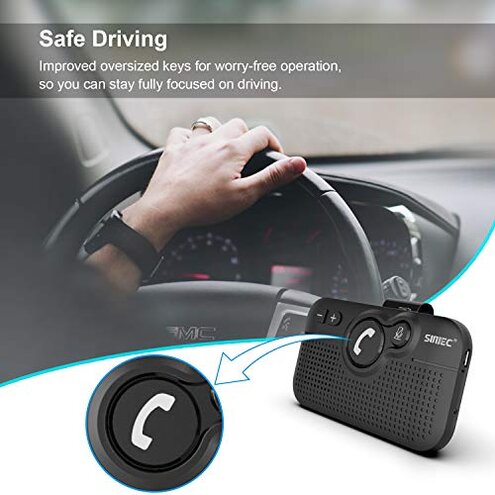
| Button usability | Easy-to-press layout, but can be error-prone while driving | Less accidental presses, more consistent UI |
| Regret trigger | Calls becoming stressful due to reconnecting and power quirks | Minor annoyances, fewer call-stopping moments |
Top failures
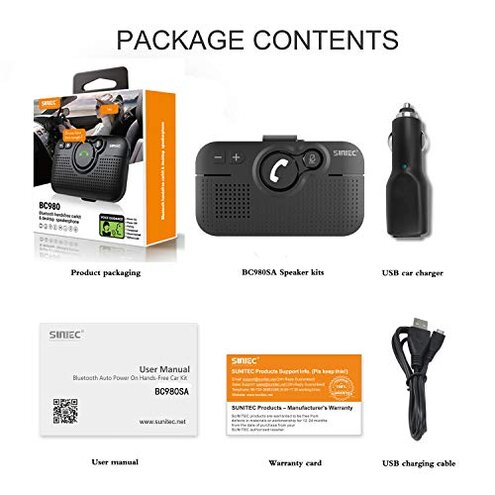
“Why does it keep disconnecting or failing to reconnect?”
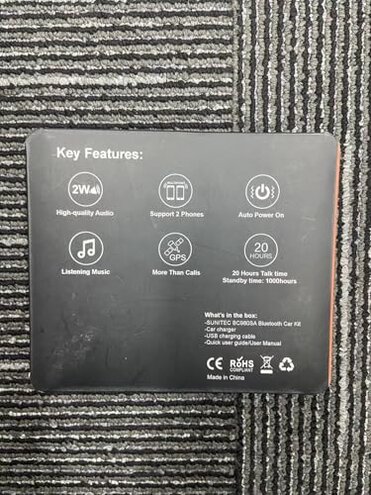
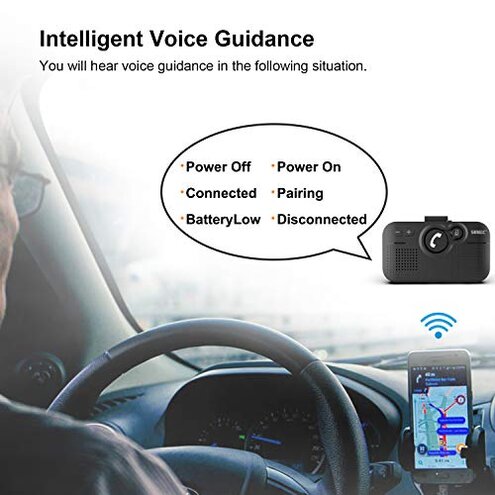
Regret moment is when you start the car, expect audio, and you get silence or a half-connected state. This shows up as a primary issue because it can derail calls and navigation right when you need it.
Pattern appears repeatedly across feedback and is not universal. It tends to show after setup during normal commuting, especially when you leave the car and return later.
Category contrast: Most mid-range car speakerphones are “pair once, forget it.” Here, the extra babysitting feels higher than normal for the category.
- Early sign: It pairs fine initially, then starts acting up on later drives.
- Frequency tier: This is a primary complaint and appears repeatedly in daily-use notes.
- When it hits: Problems often show up at car start or when returning after being out of range.
- What you notice: Audio routes to the phone, not the speaker, or the unit “connects” but behaves half-working.
- Hidden requirement: Some owners report needing to manage phone Bluetooth settings more actively than expected.
- Workarounds: Re-pairing, toggling Bluetooth, or power-cycling becomes a routine step.
- Fixability: This is often manageable, but it adds recurring friction instead of being a one-time setup.
“Is the auto on/off feature more trouble than help?”
Regret moment is when the device wakes at the wrong time, or sleeps when you expected it to be ready. This becomes a secondary issue, but it is more disruptive than expected because it changes behavior without you touching it.
- Recurring pattern: Reports show a persistent theme of power behavior feeling inconsistent.
- When it hits: Most often during door opens, getting in, or small car vibrations.
- Worsens with: Frequent short trips can create more wake/sleep cycles than long drives.
- Why it stings: In this category, auto power should be set-and-forget, not another thing to monitor.
- What you notice: Surprise beeps, unexpected reconnect attempts, or the unit not being ready when you start a call.
- Time cost: You can lose a few moments fiddling with power states instead of driving.
- Mitigation: Some owners reduce frustration by changing where it’s clipped so it gets less vibration.
- Trade-off: You may end up treating it like a manual device, which defeats the main selling point.
“Can the other person actually hear me clearly?”
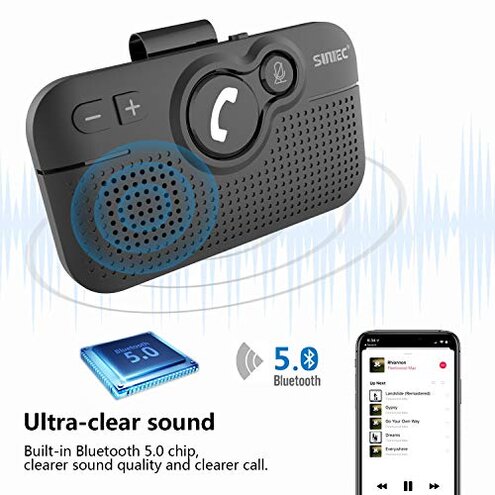
Regret moment is asking people to repeat themselves, or being told you sound distant, echo-y, or noisy. This is a secondary pattern that tends to show up during real driving, not in a quiet driveway test.
- Pattern scope: This comes up repeatedly, but it is less universal than connection complaints.
- Real condition: It tends to be worse with road noise, HVAC fan, or higher speeds.
- Category baseline: All speakerphones struggle some, but buyers describe this as less forgiving than typical mid-range units.
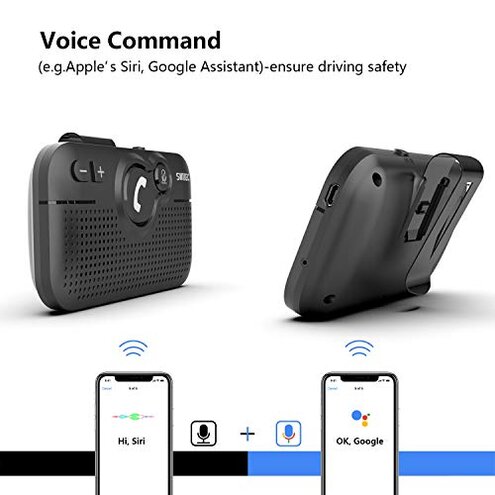
- Voice assistant: Siri or Google prompts may work, yet actual conversation quality can feel hit-or-miss.
- Placement sensitivity: Visor position and angle can change perceived mic pickup, adding trial-and-error.
- Impact: The device can become “fine for quick calls” but poor for work calls.
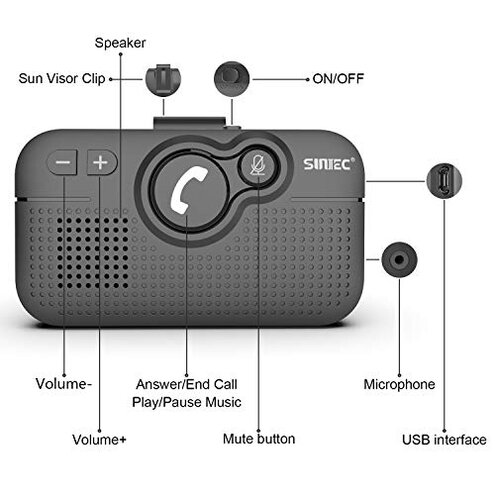
“Do the big buttons cause mistakes while driving?”
Regret moment is hitting the wrong control when you’re trying not to take your eyes off the road. This is an edge-case issue, but it can be more frustrating when it happens because it interrupts calls.
- Pattern: This shows up less frequently, but it persists in hands-on driving stories.
- When it hits: Mostly mid-call when you reach up without looking.
- Why it’s worse: In this category, “big buttons” should reduce errors, yet some buyers report accidental presses.
- What you notice: Unwanted volume changes, call ending, or switching modes unexpectedly.
- Mitigation: Repositioning on the visor can reduce mistakes, but it adds setup fiddling.
Illustrative excerpts (not real quotes)
- “It connects, but the sound still comes from my phone speaker.” Primary pattern tied to connection routing.
- “Every time I start the car, I have to toggle Bluetooth again.” Primary pattern tied to reconnect friction.
- “It wakes up when I shut the door and then acts confused.” Secondary pattern tied to auto on/off quirks.
- “People say I’m muffled once I’m on the highway.” Secondary pattern tied to real driving noise.
- “I hit the wrong button and dropped the call.” Edge-case pattern tied to in-motion control errors.
Who should avoid this
- Daily commuters who need predictable reconnect every single drive, because pairing friction is a primary recurring complaint.
- Work-call drivers who can’t risk sounding unclear, because mic clarity is a repeated, real-road issue.
- Short-trip drivers who open and close doors often, because auto wake/sleep quirks can show up more.
- Hands-off users who don’t want to manage phone settings, because a hidden Bluetooth babysitting requirement appears in feedback.
Who this is actually good for
- Occasional callers who mainly need quick, informal calls and can tolerate occasional reconnect steps.
- Older vehicles needing a basic clip-on solution where any hands-free option is better than none, even with power quirks.
- Tech-tinkerers comfortable re-pairing and adjusting placement, because the main pain is setup maintenance, not complexity.
- Backup device users who keep it as a secondary speakerphone and accept hit-or-miss behavior.
Expectation vs reality
Reasonable for this category: Pair once and it reconnects reliably on future drives. Reality: A primary pattern is needing extra steps like toggling settings or power cycling.
- Expectation: Auto on/off feels invisible and helpful. Reality: A secondary pattern is surprise wake or sleep behavior during normal car vibration.
- Expectation: “Noise reduction” means callers consistently hear you well. Reality: Repeated notes describe clarity dropping in real driving conditions.
- Expectation: Big buttons reduce mistakes. Reality: Edge-case stories mention mis-presses that interrupt calls.
Safer alternatives
- Prioritize units known for stable reconnection, because the key differentiated risk here is connection babysitting.
- Choose a model with simple manual power behavior if you take many short trips, to avoid wake/sleep surprises.
- Look for strong real-car mic performance demonstrations, because this product’s risk shows up on the road, not at home.
- Prefer controls with distinct shapes or voice-first answering, to reduce in-motion mistakes compared with big flat buttons.
The bottom line
Main regret trigger is unstable day-to-day behavior, especially reconnecting and power-state quirks that appear after initial setup. This exceeds normal category risk because a typical mid-range speakerphone needs less ongoing fiddling to stay usable. If you need dependable hands-free calling every drive, this is a safer skip unless you’re willing to troubleshoot regularly.
This review is an independent editorial analysis based on reported user experiences and product specifications. NegReview.com does not sell products.