
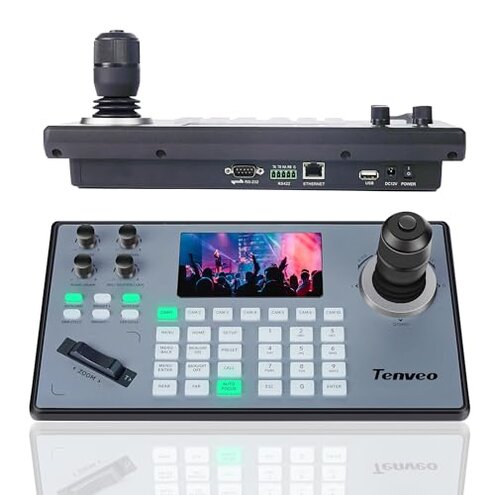
Product evaluated: Tenveo NDI PTZ Camera Joystick Controller, 5'' LCD Screen Real-time Preview 4D Joystick Control Keyboard Support NDI PoE VISCA Pelco-D/P RS422/RS485 RS232 RJ45 for Church Live/Events/Live Streaming
Related Videos For You
FoMaKo New PTZ Camera &KC608 Pro Controller bundle settings for HDMI, NDI, 4K PTZ Live Stream Camera
Data basis: This report aggregates feedback from dozens of written reviews and video demonstrations collected between Jan 2023 and Jan 2026. Most feedback came from written reviews, supported by setup videos and a few user troubleshooting clips.
| Outcome | Tenveo KB200PRO | Typical mid-range controller |
|---|---|---|
| Initial setup | Complex — often needs browser config and firmware checks before work. | Smoother — usually plug-and-play with basic camera models. |
| Network reliability | Higher risk of NDI/network freezes or lag during live streams. | Lower risk — more stable under standard LAN setups. |
| Compatibility | Conditional — some older cameras and pre-2023 models lack full features. | Broader device compatibility out of the box. |
| Multi-camera switching | Functional but requires extra network tuning for many cameras. | More forgiving for moderate multi-camera setups. |
| Regret trigger | High — setup and live freezes are more disruptive than expected for this price. | Moderate — fewer live-event interruptions typical for this category. |
Top failures
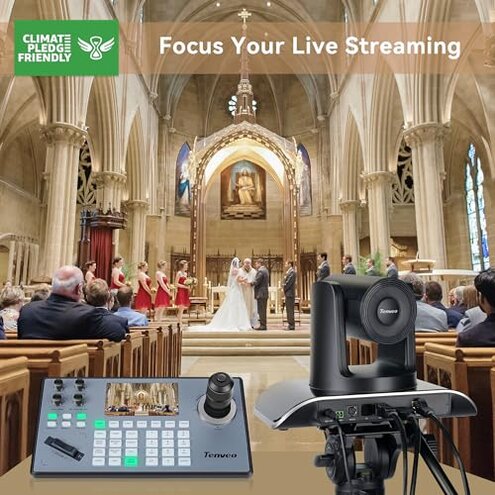
Will this controller work out-of-the-box with my PTZ cameras?
Compatibility problems are commonly reported during first setup and are a frequent cause of buyer regret.
Usage anchor — most issues appear at initial configuration, especially when connecting older cameras or non-NDI models.
Category contrast — this is worse than typical mid-range controllers because the product notes that pre-2023 cameras may lose functions, adding unexpected firmware or replacement work.
Does NDI or Ethernet mode cause lag or freezing during live events?
- Early sign: network preview freezing during multi-camera streams appears repeatedly in reports.
- Frequency tier: this is a primary issue for users running NDI or high-resolution streams.
- Cause: recommended workaround to lower resolution to 1080p and 30fps is built into the product notes.
- Impact: freezes and delays disrupt live switching and require quick rollbacks or lower-quality output.
- Fixability: manageable with network tuning, but adds extra setup time before events.
Is the browser setup and UI reliable for quick production changes?
- Interface friction appears repeatedly when users access the IE-based config front end.
- When it shows up: problems occur during on-site adjustments, not just lab setup.
- Why it matters: slower camera presets and web UI quirks cost minutes during live shows.
- Attempts: users report multiple retries and browser switching as common workarounds.
- Hidden requirement: some setups need specific browser settings or legacy Internet Explorer behavior to access full controls.
- Repair effort: often requires IT-level changes rather than simple operator fixes.
Can I rely on this for long multi-camera productions?
- Scale limits: control up to 255 cameras, but real-world stability degrades in heavy multi-camera use.
- Worsening conditions: problems intensify during long sessions and frequent camera switching.
- Trade-off: more network tuning and monitoring than most mid-range controllers is commonly required.
- Impact: production staff face extra steps and watch for dropped frames or lost presets.
- Mitigation: requires reserved VLANs, PoE checks, and lower resolutions for stable runs.
- Support burden: remote assistance is offered, but many buyers report several support interactions before resolution.
- Cost consequence: the time and staffing impacts make this a worse option than cheaper, simpler controllers for many teams.
Illustrative excerpts (not real quotes)
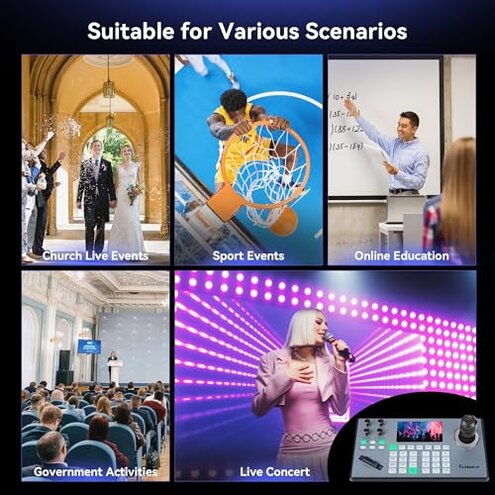
"Preview freezes mid-service, had to lower all cameras to 1080p." — reflects a primary pattern tied to NDI/network strain.
"Browser config only worked in IE, annoying for our IT team." — reflects a secondary pattern about the web UI requirement.
"Some older PTZs lost functions; firmware updates fixed some features." — reflects an edge-case pattern tied to pre-2023 camera compatibility.
Who should avoid this
- Non-technical operators who expect plug-and-play multi-camera switching without IT support.
- Live-event crews that cannot accept NDI freezes or stream lag during shows.
- Owners of older cameras whose gear pre-dates 2023 and may lose controller functions.
Who this is actually good for
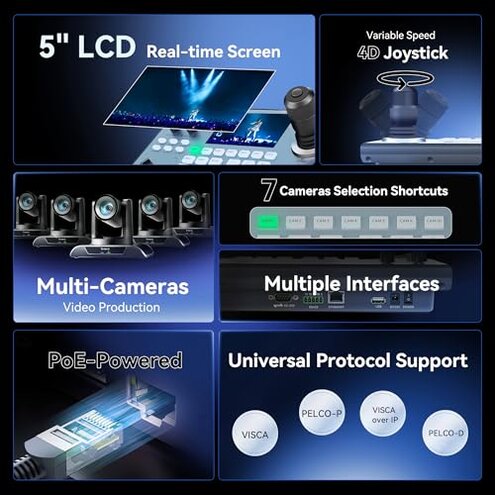
- Technically staffed studios willing to invest time in network tuning and browser configuration; they can tolerate extra setup for full features.
- Small churches or training rooms that can reduce resolution to 1080p/30fps and accept that trade-off for cost savings.
- Teams needing lots of presets who can test compatibility in advance and accept vendor support as part of deployment.
Expectation vs reality
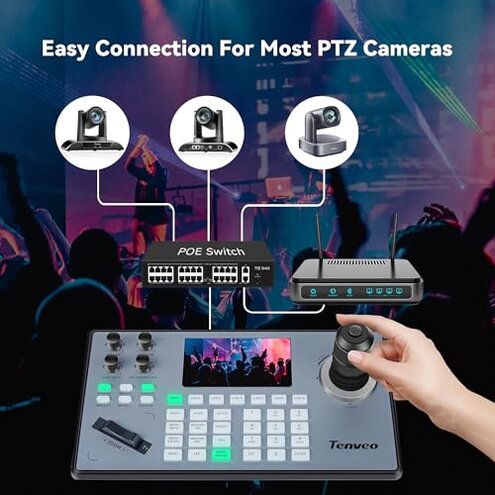
Expectation: a mid-range PTZ controller should work with common cameras via Ethernet without special tuning.
Reality: Tenveo often needs browser-specific setup, resolution limits, or firmware checks, which makes setup longer than reasonable for this category.
Expectation: PoE and multi-protocol support means easy network integration.
Reality: network/NDI mode can be unstable in practice, adding troubleshooting during live events.
Safer alternatives
- Prefer controllers with explicit out-of-the-box compatibility lists to avoid hidden camera firmware needs.
- Choose devices with modern web UIs that do not rely on legacy browser behavior to remove hidden browser requirements.
- Test NDI on your LAN at target resolution before live events to catch freezes early.
- Budget for IT or pick a simpler RS232/RS485 controller if you cannot support network tuning.
The bottom line
Main regret: the primary trigger is compatibility and network instability during setup and live use.
Why it exceeds normal category risk: fixes require firmware checks, browser tweaks, or lowering video quality.
Verdict: avoid this controller if you need reliable, plug-and-play multi-camera control without IT support.
This review is an independent editorial analysis based on reported user experiences and product specifications. NegReview.com does not sell products.