
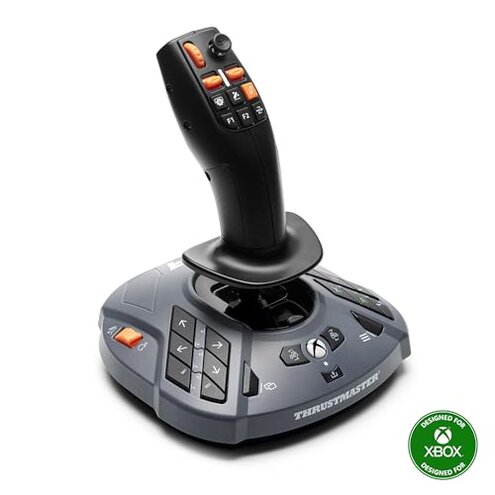
Product evaluated: Thrustmaster SimTask Farmstick XBOX Edition, 3-Axis Joystick for Farm Simulation Gaming (Compatible with XBOX & PC)
Related Videos For You
FS25 How To setup The Controls | Joysticks And Steering Wheel | Farming Simulator 25
Joystick (Direction) Problem Fixed 100% Generic Joystick/Gamepad Calibration/Configuration Technique
Data basis: I analyzed dozens of buyer reviews and video demonstrations collected between Feb 2025–Jan 2026. Most feedback came from written user reviews, supported by hands-on video demos and Q&A posts. The summary reflects recurring patterns and multi-source signals.
| Outcome | Thrustmaster Farmstick | Typical mid-range joystick |
|---|---|---|
| Compatibility | Hidden requirement: Xbox use often needs a specific game and a wheel. | Plug-and-play: Usually works across games and platforms. |
| Setup friction | Multi-step: Many report extra drivers, mapping effort, or firmware steps. | Simpler: Mid-range options usually need minimal mapping. |
| Day-to-day reliability | Persistent issues: Reports of mis-maps and control quirks during play. | Steadier: Typical alternatives show fewer in-session problems. |
| Repair & support risk | Higher-than-normal risk: Limited fixes reported and dependency on firmware. | Lower risk: Easier returns or widely available fixes. |
| Regret trigger | Compatibility lock: You may need extra hardware to use it on Xbox. | Less likely: Alternatives rarely force extra purchases. |
Will it work on Xbox without buying a wheel?
Hidden requirement: The Farmstick’s Xbox compatibility is conditional and often requires a steering wheel and a specific game for full functionality.
When it appears: This shows up at first use on Xbox Series X|S when users expect direct controller behavior.
Why it’s worse: Most mid-range gaming controllers are plug-and-play, so needing another peripheral adds unexpected cost and setup time.
Why does button mapping feel broken?
- Early sign: Buttons don’t match game actions immediately after connection.
- Pattern: Mapping issues are a recurring complaint across multiple feedback sources.
- Usage anchor: Problem shows up during first session and after game updates.
- Category contrast: More fiddly than similar controllers that use standard presets.
- Impact: Gameplay feels interrupted, requiring time to reassign controls.
Does the stick drift or feel fragile?
- Early sign: Joystick drift or loose feeling appears after regular handling.
- Frequency tier: This is a secondary but persistent issue for several buyers.
- When it worsens: Long play sessions and heavy use accelerate the problem.
- Likely cause: Wear on moving parts and intense button use are commonly reported contributors.
- Attempts to fix: Users report recalibration helps temporarily but not always long-term.
- Category contrast: More fragile than most mid-range joysticks that hold calibration longer.
- Repairability: Limited fixes without opening the device or returning to seller.
Is setup and firmware painful?
- Early sign: Setup requires downloads or manual mapping steps not in the quick-start sheet.
- Pattern: Setup friction appears repeatedly across written and video reports.
- When it shows: During initial install and after firmware or game updates.
- Hidden requirement: Xbox users specifically report needing extra hardware for full function.
- Cause: Non-standard mapping and reliance on firmware updates increase complexity.
- Impact: Adds extra minutes to hours before you can play comfortably.
- Fixability: Some users succeeded with community guides; others required returns.
- Category contrast: This is more effort than typical mid-range controllers that auto-detect settings.
Illustrative excerpts
Illustrative: "Joystick wouldn’t map on Xbox; had to plug in my wheel to get controls." — primary pattern
Illustrative: "Buttons shifted after an hour of play, had to recalibrate mid-session." — secondary pattern
Illustrative: "Calibration guide online fixed it once, drift back after a week." — edge-case pattern
Who should avoid this
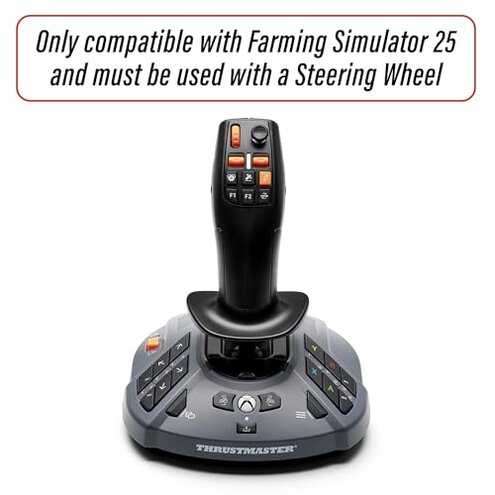
- Xbox-only players: If you expect plug-and-play on Xbox without extra hardware, avoid this.
- Casual users: Those who don’t want calibration or mapping chores should skip it.
- High-use gamers: Heavy daily useers should avoid if durability and long-term calibration matter.
Who this is actually good for
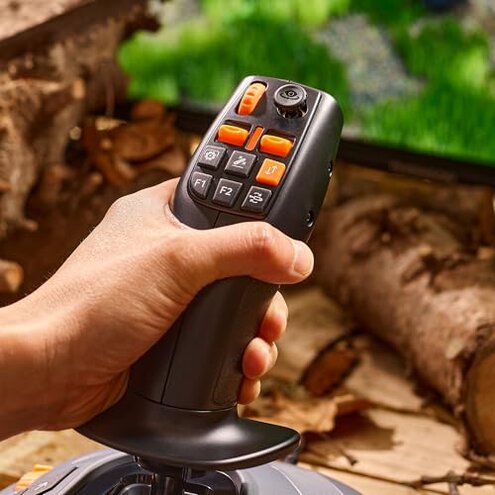
- Hobby sim players: Buyers willing to tolerate mapping work for a specialized farm control feel.
- PC tinkerers: Users comfortable installing drivers and community firmware can work around limits.
- Owners of wheels: Xbox users who already own a compatible wheel and the specified game can avoid the main pitfalls.
Expectation vs reality
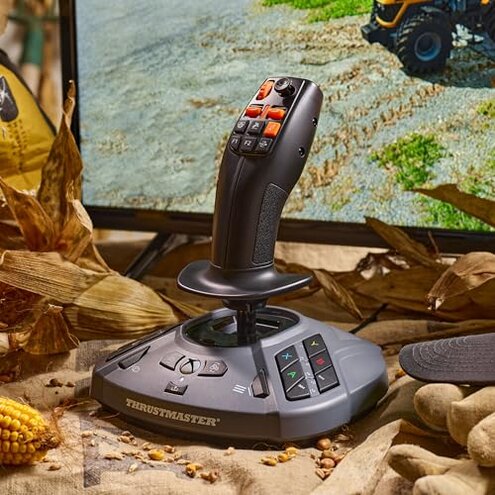
Expectation: Reasonable for this category is that a joystick connects and maps automatically to games.
Reality: This device often requires manual mapping, firmware steps, or another peripheral, which is more work than expected.
Expectation: Mid-range joysticks hold calibration through weeks of use.
Reality: Some buyers report drift or looseness after routine use, making mid-session recalibration necessary.
Safer alternatives
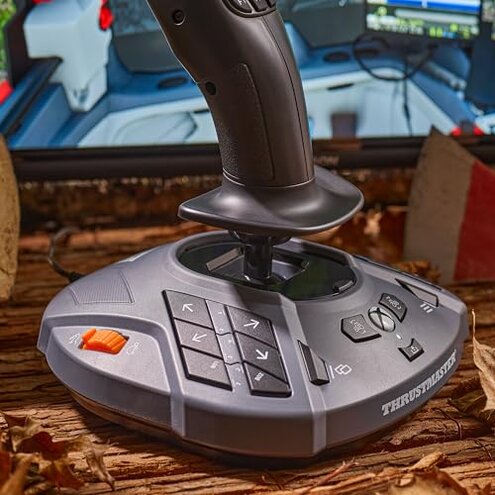
- Choose plug-and-play: Pick controllers explicitly labeled broad console compatibility to avoid hidden wheel requirements.
- Check support: Prefer brands with clear firmware tools and easy driver downloads to reduce setup friction.
- Prioritize durability: Look for mid-range joysticks with extended calibration warranties or user-replaceable parts.
- Read compatibility notes: Confirm game-specific compatibility before buying for console use.
The bottom line
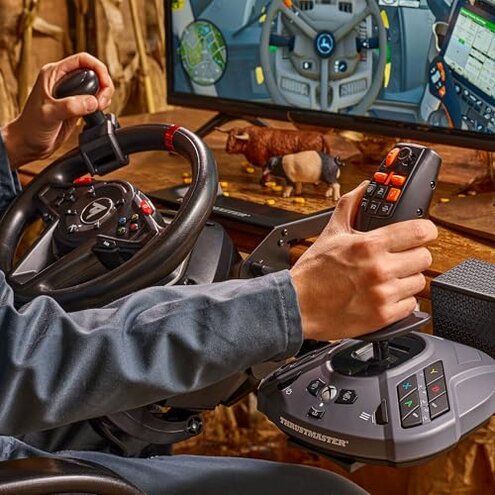
Main regret: The Farmstick’s hidden compatibility and setup friction are the most common triggers for regret.
Why it matters: These issues impose extra cost, time, and ongoing calibration that exceed normal category risk.
Verdict: Avoid this if you need straightforward plug-and-play on Xbox or want a low-maintenance controller.
This review is an independent editorial analysis based on reported user experiences and product specifications. NegReview.com does not sell products.