
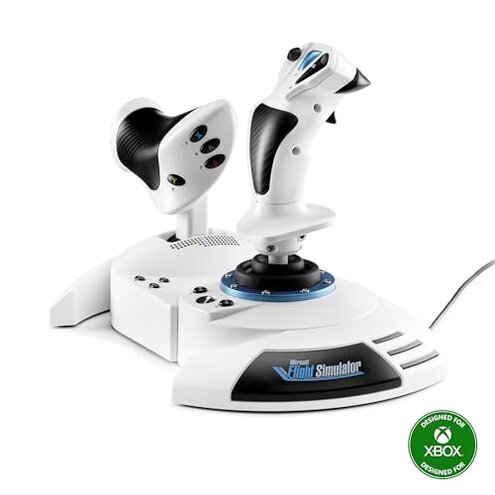
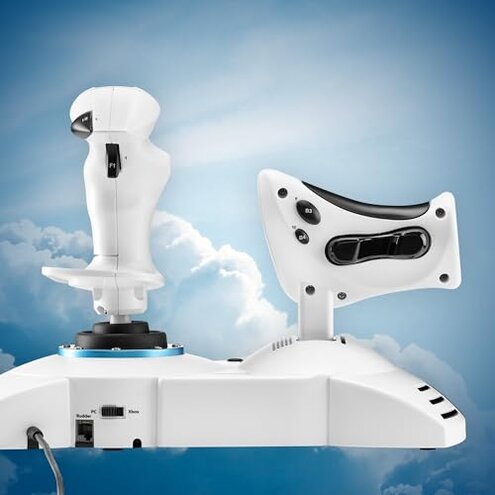
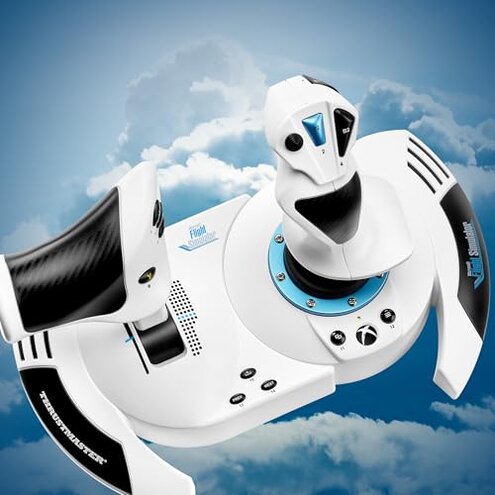
Product evaluated: Thrustmaster T-Flight Hotas One Microsoft Flight Sim 2024 Collectors Edition (compatible with Xbox Series X|S and PC)
Related Videos For You
MY 2020 FLIGHT SIM SETUP! - Drewski's HOTAS, Rudder, and Headtracking Review!
Airbus Throttle Quadrant | Calibration - EASY
Data basis: This report is based on dozens of buyer accounts and visual demonstrations collected between Oct 2024 and Jan 2025. Most feedback came from written reviews, supported by video demonstrations. Signals reflect both early unboxing impressions and weeks of use from recent purchasers.
| Outcome | This product | Typical mid-range HOTAS |
|---|---|---|
| Precision/control | Inconsistent — stick drift and soft centering reported by multiple buyers after setup. | More stable — mid-range units usually hold center and need less recalibration. |
| Build durability | Mixed — flimsy plastic joins and loose buttons appear repeatedly in feedback. | Better — typical alternatives use firmer assemblies and last longer with heavy use. |
| Setup & compatibility | Requires work — driver and mapping tweaks commonly needed on PC and console. | Smoother — mid-range options often plug-and-play with clearer mapping tools. |
| Ergonomics for long sessions | Fatigue-prone — wrist strain and throttle placement issues reported during long flights. | More comfortable — many mid-range sticks offer better grips and adjustable resistance. |
| Regret trigger | High — precision loss during flight is among the most common complaints and affects playability. | Lower — typical rivals have fewer precision complaints and easier fixes. |
Why does the joystick feel imprecise and sometimes drift?
Regret moment: Many buyers notice the stick losing center during flight controls, which ruins fine maneuvers.
Pattern: This problem is commonly reported across written reviews and video demos.
When it shows up: Drift usually appears after setup or during the first few hours of use and can worsen during long sessions.
Category contrast: Drift at this frequency is worse than normal for mid-range HOTAS devices and makes precision flying more frustrating.
Are there hidden compatibility or setup requirements?
- Early sign: Windows or console mapping may not match expected controls out of the box.
- Frequency tier: This is a primary issue for many buyers who needed driver adjustments or third-party tools.
- Usage anchor: Appears immediately during initial setup and when switching between PC and Xbox.
- Cause: Custom mapping and calibration steps are often required to restore expected control behavior.
- Impact: Setup time increases and casual buyers may face unusable controls without tweaks.
Does the unit feel fragile or poorly built?
Regret moment: Buyers report loose trim, creaky joints, and buttons that feel soft or sticky under repeated use.
Pattern: Physical issues are persistent across multiple user reports rather than isolated defects.
When it shows up: Problems usually appear after repeated handling and during heavy daily sessions.
Category contrast: These durability concerns are more disruptive than expected for mid-tier flight controllers and can shorten useful life.
Is the detachable throttle dependable for desk and lap use?
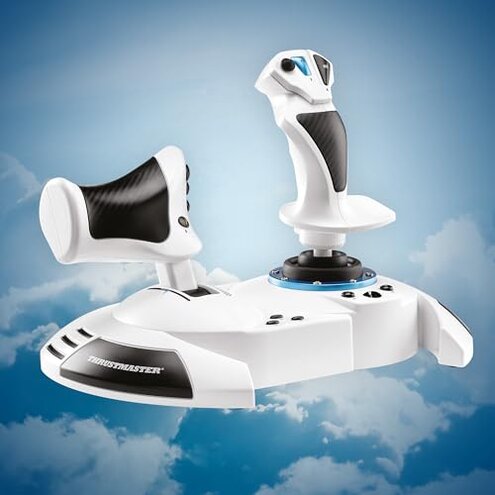
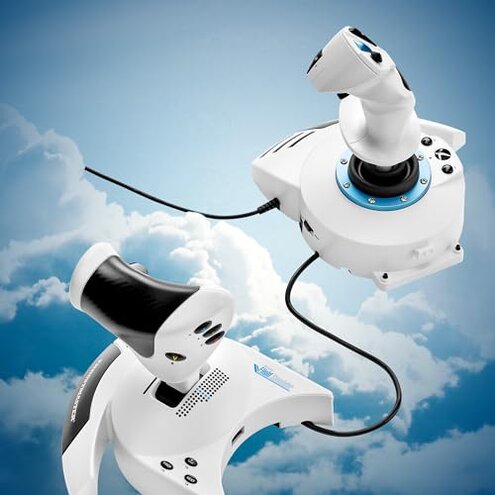
- Early sign: Throttle detaches easily but can wobble when separated.
- Frequency tier: This is a secondary issue noted by several buyers who alternate desk and lap play.
- Usage anchor: Worsens during frequent reconfiguration or rough handling.
- Cause: The detachment mechanism appears to trade sturdiness for convenience.
- Impact: Unsteady throttle makes throttle control feel less precise in turbulent flight moments.
- Fixability: Temporary fixes include clamping or non-slip pads, but these add setup steps.
- Hidden requirement: Full dual-rudder performance expects additional accessories sold separately.
How does long-session comfort hold up?
- Early sign: Wrist or forearm discomfort appears in sessions longer than an hour.
- Frequency tier: This is a secondary issue reported by casual sim pilots and streamers alike.
- Usage anchor: Fatigue increases during extended flights and repeated missions.
- Cause: Grip shape and throttle placement force awkward hand positions for some users.
- Impact: Comfort issues reduce enjoyable playtime and require extra accessories for relief.
- Attempts: Users often add wrist rests or reposition the throttle, adding setup complexity.
- Fixability: Improvements are possible but usually mean spending more on stands or cushions.
- Contrast: Mid-range competitors typically offer better ergonomics, making this product feel less refined.
Illustrative excerpts
"Stick drift shows up after a few flights, CPU calibration didn’t help." — reflects a primary pattern
"Buttons started feeling loose after two weeks of regular play." — reflects a secondary pattern
"Detachable throttle wobbles on lap; I had to clamp it down." — reflects a secondary pattern
"Needed extra drivers and mapping tools to get it usable on PC." — reflects a primary pattern
Who should avoid this
- Serious sim pilots: Avoid if you need consistent precision because stick drift is a common complaint that undermines tight control.
- Casual buyers wanting plug-and-play: Avoid if you don’t want extra setup time because this unit often requires driver and mapping tweaks.
- Heavy daily users: Avoid if you log long sessions because build and ergonomics issues appear faster under frequent use.
Who this is actually good for
- Budget-minded starters: Good if you want a low-cost flight stick and can tolerate occasional recalibration.
- Occasional players: Good if you fly short sessions and can live with some wobble in the throttle.
- Buyers who like mods: Good if you plan to add stands, pads, or third-party mapping tools to fix weaknesses.
Expectation vs reality
- Expectation: Reasonable for this category is plug-and-play setup on PC and console.
- Reality: Setup often needs driver tweaks and manual mapping to get usable controls.
- Expectation: Reasonable for mid-range sticks is stable centering and long-term durability.
- Reality: Drift and loose fittings make control less reliable over time.
Safer alternatives
- Pick a wired HID-first unit: Choose a controller that advertises native HID support to reduce driver hassles.
- Favor metal or reinforced builds: Look for frames with sturdier construction to avoid early looseness.
- Check ergonomic reviews: Prioritize sticks with adjustable grips or documented long-session comfort.
- Plan for accessories: If you want detachable throttles, budget for clamps, pads, or a dedicated stand to prevent wobble.
The bottom line
Main regret: The most common trigger is precision loss from stick drift and setup friction.
Why worse: These issues are more frequent than expected for mid-range HOTAS and they reduce playability for precision flying.
Verdict: Avoid this model if you need reliable control out of the box; consider alternatives with firmer centering and simpler setup.
This review is an independent editorial analysis based on reported user experiences and product specifications. NegReview.com does not sell products.