
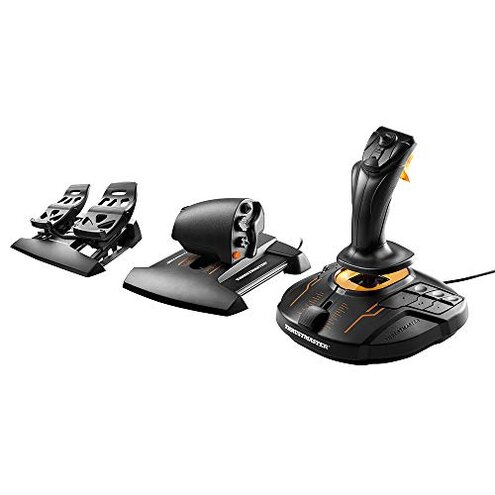
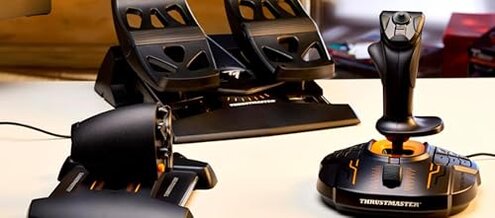
Product evaluated: Thrustmaster T16000M FCS Flight Pack (Compatible with PC)
Related Videos For You
Testing the Cheapest Flight Sticks
Electronic Speed Controller Calibration guide
Data basis: This report synthesizes findings from hundreds of customer reviews and several video demonstrations collected between 2016 and 2024, with most feedback coming from written buyer reviews supported by a handful of teardown and setup videos.
| Outcome | This product | Typical mid-range alternative |
|---|---|---|
| Precision | Higher input drift risk reported more often than expected for mid-range flight sticks. | Lower drift and more stable centering in normal use. |
| Setup friction | Software-dependent setup with extra mapping steps via proprietary tools. | Simpler plug-and-play drivers or fewer profile steps. |
| Durability | Button wear and loosened parts appear sooner in some reports. | More robust plastics and switches under similar daily use. |
| Hidden requirements | Windows-only software and calibration tools are often required to tune performance. | Broader OS support or basic functionality without vendor tools. |
| Regret trigger | High repair or reconfiguration time after drift or firmware issues. | Lower maintenance expectations and less downtime. |
Why does the joystick drift after extended play?
Primary regret: Buyers commonly report stick drift that appears after weeks or months of play and during long sessions.
Usage anchor: The problem often shows up after extended use or heavy daily handling and worsens with long mission sessions.
Category contrast: Drift is more disruptive than expected for this price class because the product markets a high-precision sensor.
Is setup and mapping more complicated than advertised?
- Complex software: T.A.R.G.E.T software is a required step for fine mapping and many buyers find its learning curve steep.
- Windows dependency: Full functionality commonly requires a Windows-only toolchain and driver installs.
- Profile juggling: Multiple game profiles add extra setup time before play sessions.
- Poor default mapping: Out-of-the-box controls sometimes need manual remapping to behave predictably.
Will the physical parts hold up to daily handling?
- Button reliability: Several buyers report early button wear under frequent use.
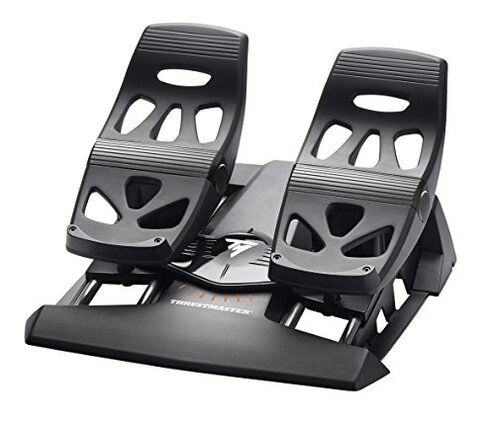
- Loose fittings: The removable parts can feel loose after repeated swaps or heavy handling.
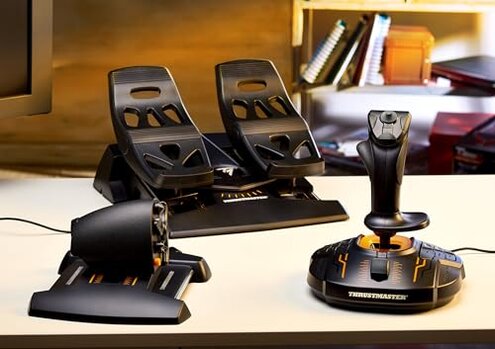
- Throttle play: The throttle’s movement sometimes develops side play that affects fine throttle control.
- Plastic quality: Some users call out flexible plastics that creak under stress.
- Repair difficulty: Fixing mechanical issues can mean disassembly and patience, which many buyers find undesirable.
- Warranty limits: The one-year warranty is helpful but does not always cover all wear complaints in practice.
Are there hidden requirements that block play?
- Driver needs: Proper function often needs firmware or driver updates before first use.
- PC-only features: Advanced axis tuning is frequently PC-only and not available on other platforms.
- Calibration steps: Manual calibration is a frequent follow-up after updates or long sessions.
- Software fragility: Firmware or software updates can sometimes reset profiles and require reconfiguration.
- Hidden tools: Buyers often need to install third-party or vendor utilities for full functionality.
- Time cost: The cumulative time for setup and fixes is higher than average for mid-range controllers.
- Edge-case blockers: Older OS setups or locked-down systems can make the device nonfunctional until drivers are allowed.
Illustrative excerpts (not real quotes)
Illustrative — "Stick center slowly moved during long flights, needing recalibration every week."
Pattern: This reflects a primary pattern where drift is persistent for active users.
Illustrative — "Needed extra software just to map buttons, took hours to get right."
Pattern: This reflects a secondary pattern tied to setup complexity.
Illustrative — "Buttons creaked after a few months of practice sessions."
Pattern: This reflects an edge-case pattern that appears for heavy daily handlers.
Who should avoid this
- Competitive sim pilots: Avoid if you cannot tolerate any input drift during ranked or competitive sessions.
- Non-Windows users: Avoid if you lack a Windows PC for driver tools and calibration.
- Minimal tinkers: Avoid if you do not want to spend time on software setup and profile management.
Who this is actually good for

- Hobby simmers: Good for users who accept occasional recalibration in exchange for many configurable axes.
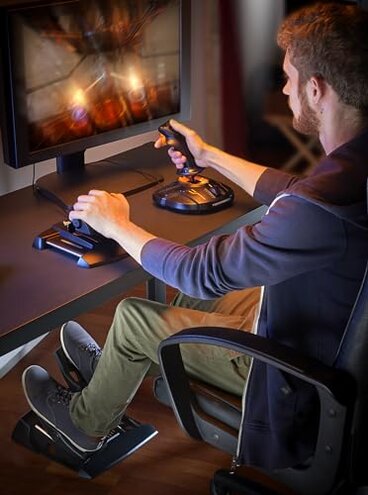
- Left-handed pilots: Good if you need ambidextrous ergonomics and tolerance for manual setup.
- Tinkerers: Good for buyers who enjoy deep profiling and are comfortable with vendor software.
Expectation vs reality
- Expectation: Reasonable for this category is plug-and-play precision for casual sim use.
- Reality: Instead many buyers face recurring recalibration and software steps before achieving that precision.
- Expectation: Reasonable build life is months of heavy use without button issues.
- Reality: Some buyers report early wear under daily training sessions.
Safer alternatives
- Look for low-drift sensors: Choose models advertised with hall-effect sensors or proven low-drift tech to reduce long-term recalibration.
- Prefer simple setup: Favor joysticks with basic OS drivers and fewer required third-party tools.
- Check durability reviews: Compare reports of button longevity and mechanical robustness before buying.
The bottom line
Main regret: The most common buyer trigger is input drift that appears in real play and requires repeated calibration.
Why worse: This exceeds normal mid-range risk because it adds significant setup and maintenance time and sometimes needs Windows-only tools.
Verdict: Avoid if you need a hands-off, competition-ready controller; consider it only if you accept extra setup and occasional fixes.
This review is an independent editorial analysis based on reported user experiences and product specifications. NegReview.com does not sell products.