
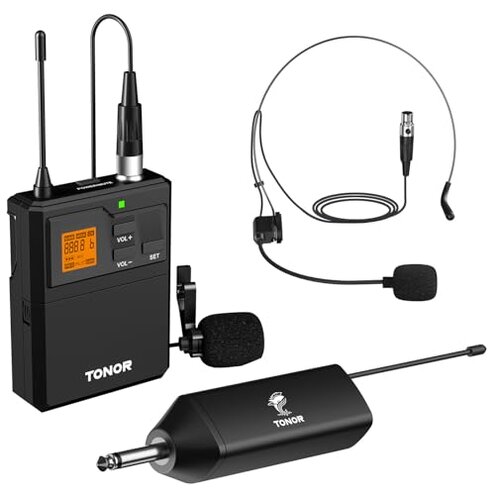
Product evaluated: TONOR UHF Wireless Microphone System with Headset Mic/Lavalier Lapel Mic, Bodypack Transmitter, Rechargeable Receiver, 15 Channels 200ft Range 1/4" Output for Recording Live Performance PA Speaker
Related Videos For You
How To Setup A Wireless Microphone
hotec wirless microphone h-u05/u06 trouble shooting
Data basis: This report used dozens of buyer comments and hands-on videos, collected between 2023-06 and 2025-12. Most feedback came from written reviews, supported by video demonstrations, and a smaller share from Q&A entries.
| Outcome | TONOR System | Typical Mid-range Alternative |
|---|---|---|
| Signal reliability | Variable — commonly reported drops in real venues and when receiver is enclosed. | Steadier — mid-range units usually handle crowded RF environments better. |
| Battery & charging | Mixed — receiver recharge, bodypack uses AA cells, creating extra steps. | Simpler — many competitors use matched rechargeable packs for both ends. |
| Setup ease | Confusing — auto-pair works but frequency switching and placement matter. | Straightforward — rivals often ship clearer channel defaults and guides. |
| Sound quality | Serviceable — usable for speech, but hiss or static appears in some use. | Cleaner — mid-range alternatives typically have lower noise floors. |
| Regret trigger | Higher risk — signal loss during events is more disruptive than category norms. | Lower risk — typical alternatives cause fewer on-stage failures. |
Why does the mic cut out during a show?
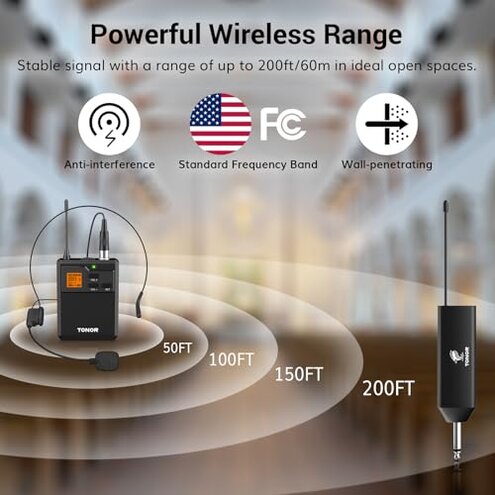
Regret moment: Signal interruptions appear when you move around or place the receiver inside cabinets.
Pattern: This is a commonly reported issue and often happens during first use in real spaces with obstacles.
Category contrast: More disruptive than expected for mid-range wireless because event users lose audio mid-performance.
Why is battery and charging awkward?
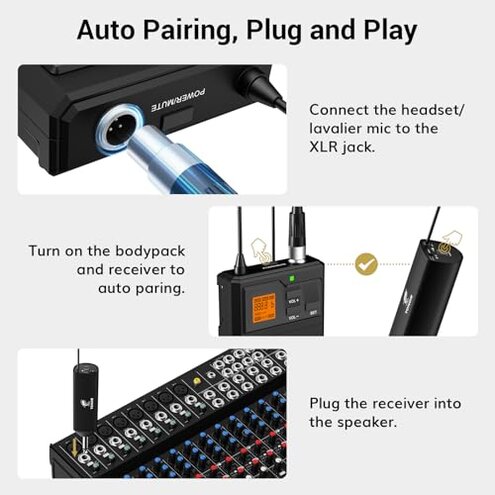
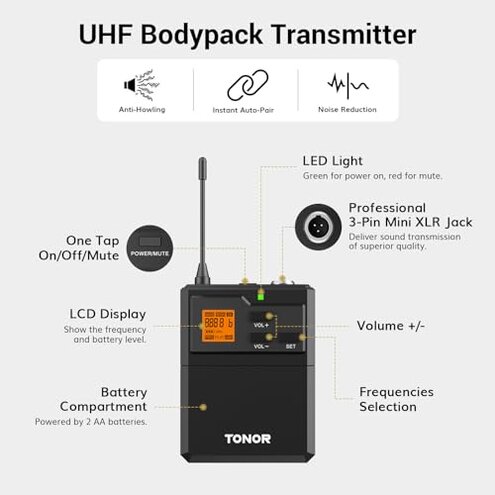
- Design split — The receiver charges via USB-C while the transmitter needs 2 AA batteries, adding handling steps.
- Hidden requirement — Reviewers note you must supply AA cells and a normal USB charger to avoid issues.
- Usage anchor — Friction shows up before first gig and during long sessions when batteries deplete.
- Pattern — This is a recurring complaint, less frequent than signal drops but annoying when it occurs.
- Impact — Extra downtime and carrying spare batteries is required for events lasting several hours.
Why does the audio sometimes sound noisy or thin?
- Early sign — Mild hiss or reduced clarity during quieter passages is commonly reported.
- Frequency tier — This is a secondary issue compared with outages but more noticeable for recordings.
- Cause — Interference and sensitivity settings are often blamed in real-world setups.
- When — Shows up during mixed-use venues or when multiple wireless systems operate nearby.
- Attempts — Users adjust input volume and mic placement with limited success.
- Fixability — Partial fixes exist, but they add setup time and technical fiddling.
Why is setup unintuitive and fragile?
- First-use friction — Auto-pairing helps, but frequency switching requires manual steps.
- Frequency pattern — Seen across multiple feedback sources when users try several channels in crowded areas.
- Hidden rule — Placing the receiver in a metal cabinet causes signal loss, a setup caveat buyers often miss.
- Edge-case — Lack of Bluetooth and limited compatibility surfaces when connecting to some TVs and soundbars.
- Impact — Setup time increases and you may need to reposition equipment mid-event.
- Category contrast — Less forgiving than most mid-range systems which provide clearer placement guidance.
- Support — Users report needing extra trial-and-error before stable operation.
Illustrative excerpts (not real quotes)
Excerpt: "Mic cut out every time I walked behind the podium." — primary
Excerpt: "Receiver needs a USB cable, transmitter wants AA batteries — awkward mix." — secondary
Excerpt: "Low-level hiss during quiet parts of my recordings." — secondary
Excerpt: "Worked fine at home but failed at our event hall." — primary
Who should avoid this
- Live performers — If you cannot tolerate on-stage dropouts during shows, avoid this model.
- Event renters — Frequent setup changes and venue variables increase the chance of disruption.
- Recording professionals — If low hiss and consistent clarity matter, this model underperforms category norms.
Who this is actually good for
- Casual presenters — Good when you need budget wireless for small meetings and can accept occasional fuss.
- Home podcasters — Works if you record in a stable room and can tolerate mild noise issues.
- One-off users — OK for single small events where you can test placement beforehand.
Expectation vs reality
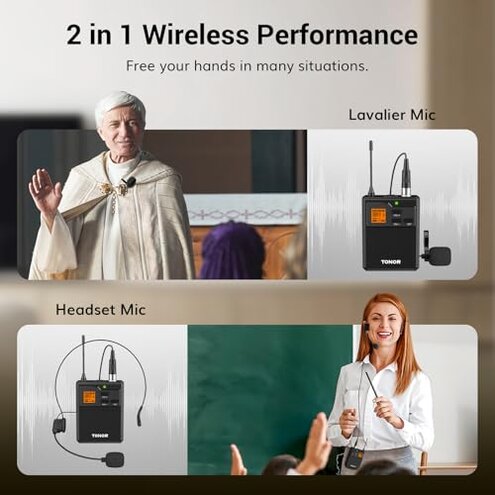
- Expectation: Reasonable for this category to claim 200ft range; Reality: Range often falls short in real venues with obstacles.
- Expectation: Rechargeable receiver should simplify power; Reality: The mixed AA/transmitter design adds extra battery chores.
- Expectation: Auto-pairing equals plug-and-play; Reality: Manual frequency management and placement are often needed.
Safer alternatives
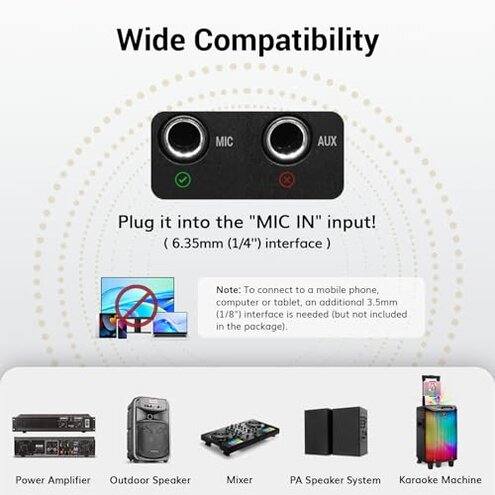
- Choose matched power — Prefer kits where both transmitter and receiver use the same rechargeable packs to avoid mixed battery chores.
- Prioritize RF robustness — Look for systems with explicit anti-interference tech or higher reported venue reliability to avoid dropouts.
- Check placement rules — Buy units that document receiver placement clearly and warn against metal enclosures.
- Test before use — Insist on vendor return windows and test in your actual venue to reveal hidden interference.
The bottom line
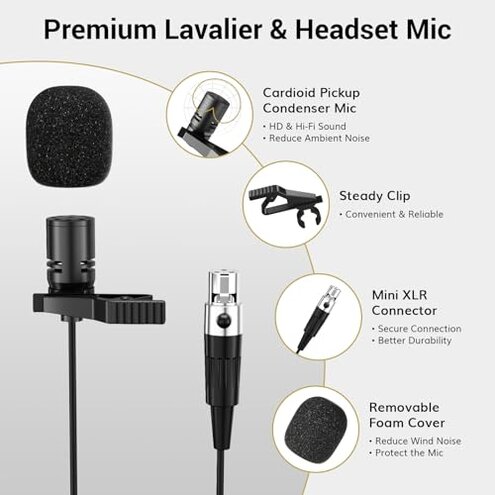
Main regret: The primary trigger is unexpected signal loss during real events, which is more disruptive than usual for this price class.
Verdict: This system can work for casual use, but buyers who need reliable, long-session wireless audio should avoid it without extra precautions.
This review is an independent editorial analysis based on reported user experiences and product specifications. NegReview.com does not sell products.