
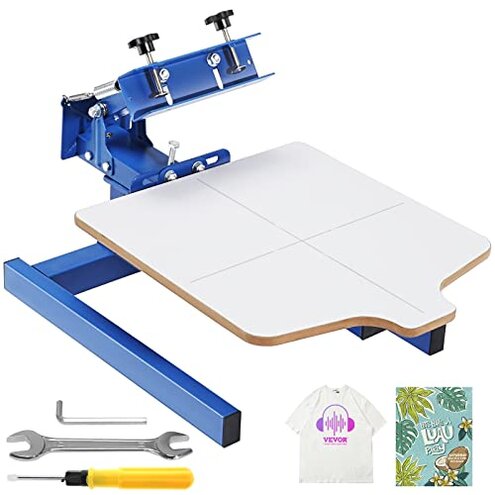
Product evaluated: VEVOR Screen Printing Machine, 1 Color 1 Station Silk Screen Printing Press, 21.2x17.7in / 54x45cm Screen Printing Press, Double-Layer Positioning Pallet, Adjustable Tension for T-Shirt DIY Printing
Related Videos For You
Step by Step 4 COLOR SCREEN PRINT REGISTRATION on a Cheap T Shirt Printing Press / T-shirt business.
Data basis: This report summarizes dozens of buyer impressions collected from written feedback and video-style demonstrations between 2023 and 2026. Most feedback came from detailed written comments, with added context from setup walkthroughs and real-use clips showing what happens during assembly, alignment, and first printing attempts.
| Buyer outcome | VEVOR 1-station press | Typical mid-range alternative |
|---|---|---|
| First setup | Higher effort; setup and adjustment often take extra trial and error. | Usually easier; still requires assembly, but tends to need fewer corrections. |
| Print alignment | Less forgiving; small shifts after setup are a primary complaint. | More predictable; basic alignment problems still happen, but usually with less drift. |
| Stability in use | Category risk is higher; wobble or movement feels more disruptive than expected. | Moderate risk; movement can happen, but is less often the main regret trigger. |
| Beginner learning curve | Steeper; hidden adjustment steps appear repeatedly. | More manageable; still manual, but usually easier to get usable results faster. |
| Regret trigger | Time loss; buyers expecting quick shirt printing get slowed by tuning and rework. | Mess or cleanup; more often annoying than workflow-stopping. |
Why does setup feel harder than a basic press should?
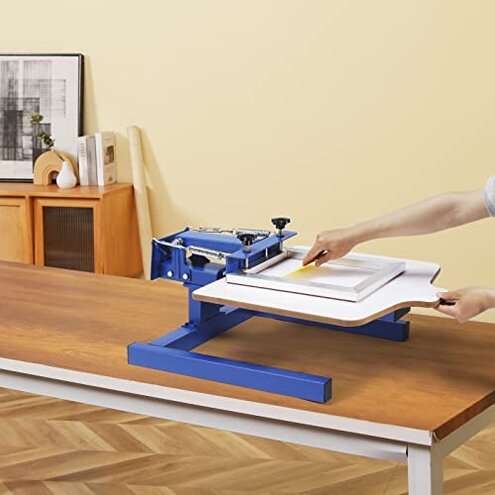
Primary issue: One of the most common complaints is that the press takes more setup judgment than buyers expect at this price and size. The regret moment usually comes on first use, when assembly is done but the machine still needs extra tweaking before it prints cleanly.
Pattern: This appears repeatedly across buyer feedback, especially from people moving from hand-held or ultra-basic DIY methods. For this category, some setup is reasonable, but this unit often feels less forgiving than a typical mid-range alternative.
Hidden requirement: Buyers often seem to expect “assemble and print,” but this press works better if you already know how to square a screen, balance pressure, and test alignment. That extra skill requirement is more frustrating than normal because it is discovered after setup, not before purchase.
Impact: Instead of starting with simple shirt runs, users can spend extra time re-leveling, checking clearances, and redoing test pulls. That makes occasional hobby use feel inefficient, especially in small-space setups where repeated adjustments are awkward.
- Illustrative excerpt: “I built it fast, but getting it to print right took much longer.” — Primary pattern.
- Illustrative excerpt: “It works, but only after more fiddling than I expected.” — Primary pattern.
Why do alignment problems ruin prints so quickly?
- Severity: This is a primary issue and among the most frustrating complaints because bad alignment wastes ink, shirts, and time in one mistake.
- When it shows up: The problem usually appears after assembly during first test prints, then becomes worse when trying repeated placement on multiple items.
- Pattern: Slight shifting or inconsistent positioning is commonly reported, even when buyers believe they assembled it correctly.
- What buyers notice: The print lands a little off, pressure feels uneven, or repeat placement takes more checking than expected.
- Why it feels worse: In this category, some manual alignment is normal, but this press can feel more disruptive than expected because even simple one-color jobs depend on steady repeat positioning.
- Worsening condition: The issue becomes more noticeable in longer sessions when users try batch printing and expect the setup to stay consistent.
- Fixability: Careful adjustment and slower workflow can help, but that reduces the main reason buyers choose a press like this, which is faster repeat printing.
- Illustrative excerpt: “My first shirt looked fine, then the next few started drifting.” — Primary pattern.
Why does the press feel unstable during normal use?

- Frequency tier: This is a secondary issue, less frequent than alignment complaints but more frustrating when it happens.
- Usage moment: Buyers usually notice it during daily use when lowering the screen, applying pressure, or trying to keep the pallet steady.
- Pattern statement: Movement, wobble, or a generally less solid feel appears persistently in feedback from users expecting a more planted machine.
- Buyer impact: Even minor instability can make beginners hesitate, because every pull feels like it might change the result.
- Category contrast: Budget presses are never perfect, but this can feel higher-than-normal for a machine sold as suitable for home and small business use.
- Worsening condition: The issue tends to matter more with frequent use, firmer squeegee pressure, or larger items that need steadier handling.
- Workarounds: Some buyers reduce the problem by slowing down, re-tightening, or modifying their workspace, but those extra steps are a hidden cost.
Why is this rough on beginners who only print occasionally?
- Intensity: This is a secondary issue, but for casual users it can become the main regret because the machine asks for repeated practice.
- When it appears: The frustration usually starts on first projects and continues whenever the press sits unused, then has to be dialed back in.
- Pattern: The steep learning curve is not universal, but it shows up often enough to matter for hobby buyers.
- Early sign: If you need several test prints before one acceptable result, you are already in the common regret pattern.
- Hidden requirement: The machine makes more sense if you are willing to learn setup logic, not just printing basics.
- Why worse than normal: A reasonable expectation for this category is some learning, but buyers often report more upkeep and tuning than a typical mid-range starter press.
- Real cost: The issue is not only bad prints; it is the extra space, cleanup, and restart time each time you print again.
- Illustrative excerpt: “Fine for tinkering, not great when I only print once in a while.” — Secondary pattern.
Who should avoid this
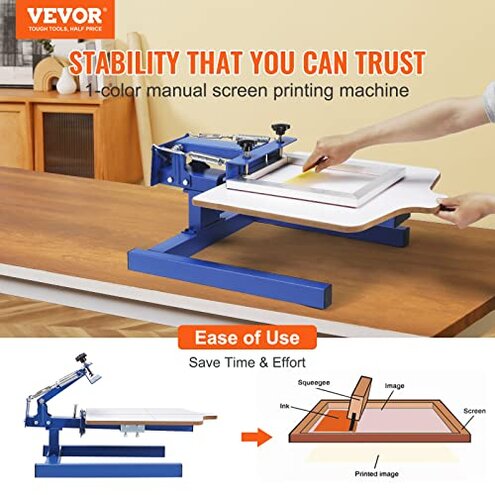
- Skip it if you want quick weekend shirt printing without repeated setup checks, because time loss is the main regret trigger.
- Avoid it if you are a true beginner who expects clear, forgiving first-use results, since alignment drift appears repeatedly after setup.
- Not ideal for small sellers who need steady repeat output, because stability and consistency can feel worse than normal for this category.
- Pass on it if you only print occasionally, because the relearning and retuning burden can outweigh the low entry price.
Who this is actually good for
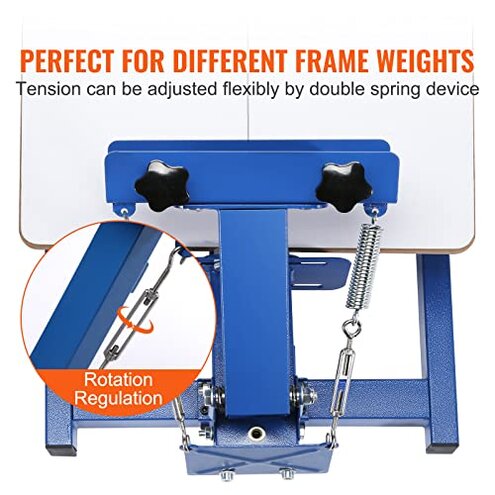
- Better fit for patient DIY users who accept extra adjustment in exchange for a lower-cost manual press.
- Reasonable choice for tinkerers who enjoy modifying their setup and do not mind solving workspace and alignment problems slowly.
- Usable for buyers printing simple one-color jobs in small batches, if they are willing to trade speed for hands-on control.
- More suitable for someone who already understands basic screen printing setup, because the hidden skill requirement will feel less surprising.
Expectation vs reality

Expectation: A one-station press should be simple enough for basic home use after normal assembly.
Reality: After setup, many buyers still face extra tuning before prints become consistent.
Expectation: Manual presses usually need some practice, which is reasonable for this category.
Reality: This one can demand more repeated correction than typical mid-range alternatives, especially for alignment.
Expectation: Once adjusted, a one-color press should stay predictable for small batches.
Reality: During longer sessions, slight movement or drift can make repeat jobs more stressful than expected.
Safer alternatives
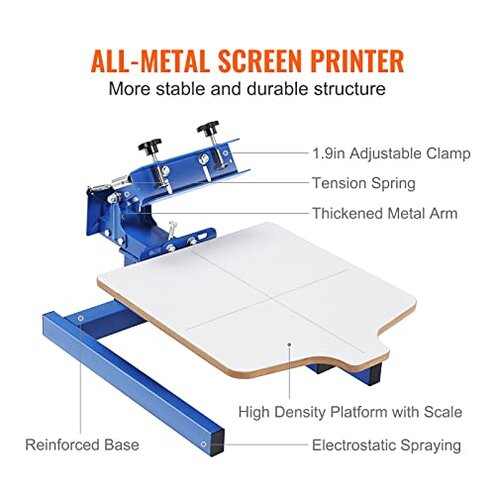
- Choose a press with stronger buyer evidence of easy alignment if you plan to print multiple shirts in one session.
- Look for models described as beginner-friendly with clearer setup guidance, which directly reduces the hidden learning burden.
- Prefer a sturdier mid-range frame if you use firmer printing pressure, because that helps neutralize the stability complaint.
- Buy from a category option with more complete setup support or common tutorial coverage, which lowers the risk of first-use frustration.
The bottom line
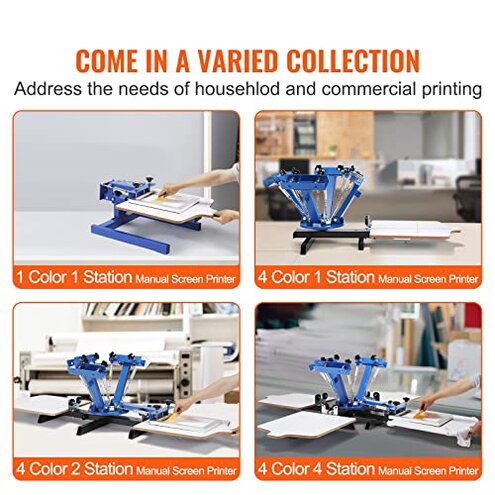
Main regret: Buyers usually get stuck on setup and alignment, not the idea of the press itself. That exceeds normal category risk because the extra effort often shows up after assembly, when shoppers expected to start printing.
Verdict: If you want a forgiving first press, this is easier to avoid than troubleshoot. It makes more sense only for patient users who knowingly accept extra tuning as part of the deal.
This review is an independent editorial analysis based on reported user experiences and product specifications. NegReview.com does not sell products.