
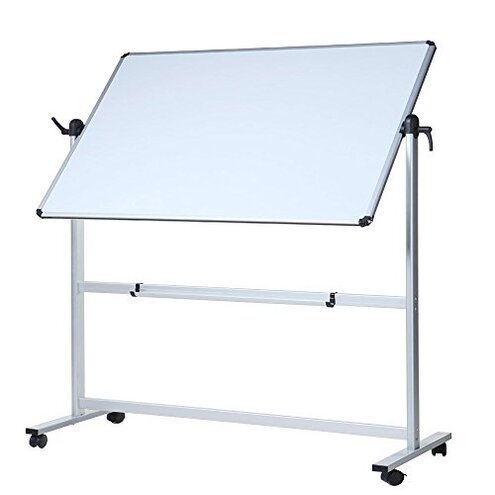
Product evaluated: VIZ-PRO Double-Sided Magnetic Mobile Whiteboard, 48 x 36 Inches, Aluminium Frame and Stand
Related Videos For You
Luxor Assembly Guide: Mobile Whiteboard Assembly
How To Clean Whiteboards and Dry Erase Boards
Data basis: This report summarizes findings from dozens of customer reviews, Q&A threads, and video demonstrations collected between 2016 and 2025. Most feedback came from written reviews, supported by hands-on video demos and buyer questions. The synthesis emphasizes repeated user signals rather than isolated remarks.
| Outcome | VIZ-PRO (this product) | Typical mid-range mobile whiteboard |
|---|---|---|
| Stability | More wobble reported during writing and rotation; stability often needs re-tightening after setup. | Usually firmer with fewer tightening steps out of the box for steady use. |
| Assembly effort | Higher effort for correct alignment; many buyers describe extra tightening and time. | Lower effort — typical models assemble and remain aligned for longer. |
| Surface durability | Ghosting & stains commonly reported after repeated use and vigorous erasing. | Cleaner finish on average with less visible staining after similar use. |
| Mobility | Wheel issues noted on some floors; brakes sometimes fail to lock firmly. | Smoother rolling and more reliable brakes on comparable mid-range boards. |
| Regret trigger | Higher risk of daily frustration when used in teaching or frequent-room moves. | Lower risk — fewer interruptions for tightening or surface care. |
Top failures
Why does the board feel unstable when writing?
Regret moment: Users report the board rocks while writing, making neat handwriting and long notes difficult.
Pattern & timing: This is among the most common complaints and often shows up right after assembly, then returns after heavy use.
Category contrast: Stability problems are more disruptive than expected for mid-range whiteboards because they interrupt lessons and meetings.
Why does the writing surface ghost or stain?
- Early sign: Pale residue appears after a few wipes — commonly reported even with standard dry-erase markers.
- Frequency tier: This is a primary issue for many buyers and tends to worsen with daily classroom or office use.
- Cause clue: Users note the finish does not clean as well as expected after repeated uses and abrasions.
- Impact: Ghosting makes the board look older quickly and forces heavy-duty cleaners or marker cycling.
- Fixability: Some buyers temporarily improve results by using special cleaners, but the problem is persistent.
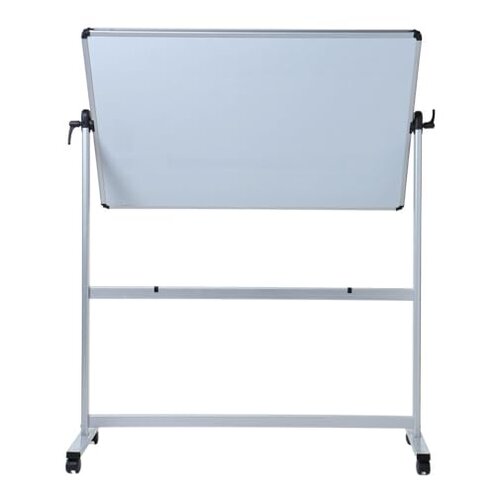
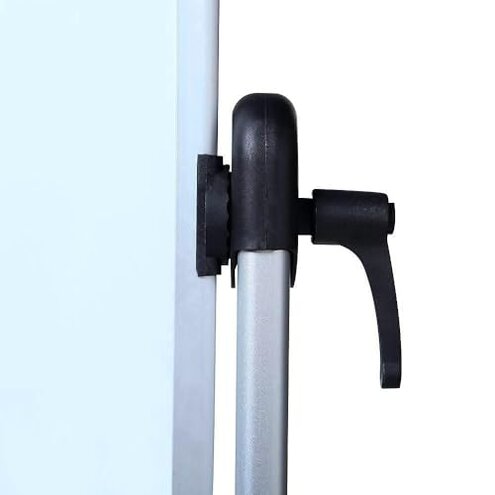
Why do rotation knobs and locks loosen or fail?
- Symptom label: Handles slip or do not hold angles during sessions — reported repeatedly by several buyers.
- When it appears: Often noticed during first weeks when the board is rotated frequently in meetings or classes.
- Underlying cause: The locking system can require frequent re-tightening, which is a hidden maintenance step many buyers did not expect.
- Worse conditions: The issue worsens with long sessions and repeated 360-degree rotations.
- Attempts made: Buyers commonly re-tighten bolts or add washers; fixes are temporary for some users.
- Category contrast: Rotation instability is less forgiving than typical
Why do wheels and brakes cause trouble when moving the board?
- Early sign: Casters roll roughly or stick on carpet and some hard floors — this is commonly observed.
- Scope: Wheel complaints appear across multiple buyer reports and video demos, not just isolated posts.
- When it worsens: Frequent room moves and heavier top loading make the wheels more likely to misalign.
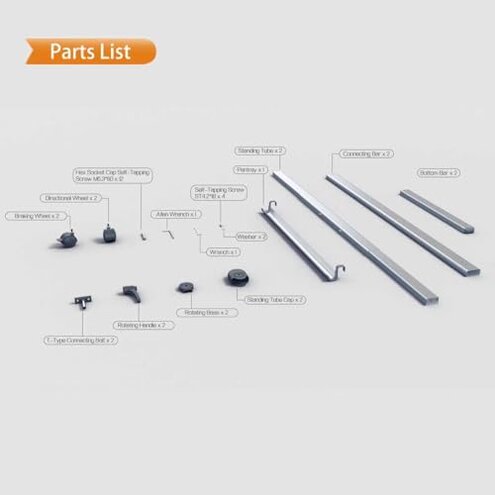
- Hidden need: Buyers often discover a hidden requirement for extra tools to properly align or tighten caster mounts.
- Brake reliability: Brakes sometimes fail to hold on sloped floors or under side force, creating a safety risk when writing.
- Impact at use: Poor brakes force users to stop and re-secure the board during lessons or presentations.
- Fixability: Some buyers add floor mats or purchase replacement casters; the fixes add extra cost and time.
Illustrative excerpts (not real quotes)
"Board rocks while I write long notes every class session." — reflects a primary pattern: stability failure during use.
"Whiteboard keeps faint marker stains after wiping." — reflects a primary pattern: persistent surface ghosting.
"Knobs loosen after rotating a few times in meetings." — reflects a secondary pattern: rotation lock maintenance.
Who should avoid this
- Frequent movers: Avoid if you need reliable mobility between rooms daily; wheel and brake issues are disruptive.
- High-use educators: Avoid if you require a stain-resistant surface for heavy daily marker use and simple upkeep.
- Hang-and-forget buyers: Avoid if you want a product that stays tight without periodic retightening or extra tools.
Who this is actually good for
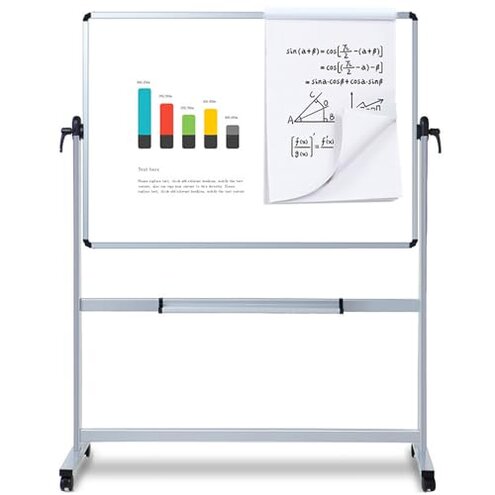
- Infrequent users: Fine for occasional home or small office use where light-duty wobble and ghosting are tolerable.
- Budget shoppers: Works if you accept extra maintenance to save on purchase price versus premium boards.
- DIY fixers: Suitable for buyers willing to tighten hardware and swap casters, since they can manage the hidden fixes.
Expectation vs reality
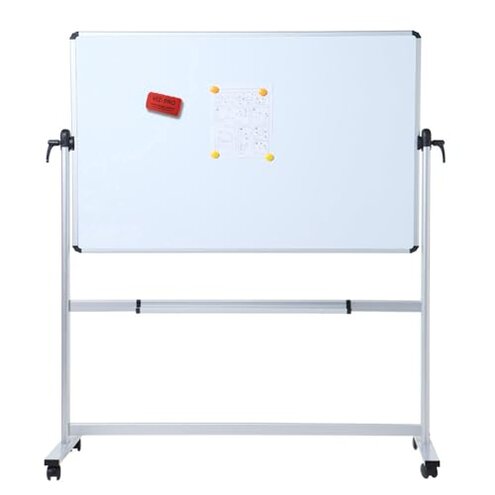
Expectation (reasonable): Most mid-range boards should be stable after assembly and need little retightening.
Reality: This product commonly requires ongoing tightening and surface care, which increases upkeep time and frustration.
Expectation: Wheels and brakes will let you move and lock the board easily.
Reality: Wheel misalignment and unreliable brakes are reported across several buyers, making movement and locking awkward.
Safer alternatives
- Choose firmer bases: Look for boards with a reinforced base or wider footprint to reduce wobble.
- Check surface finish: Prefer boards listed with stain-resistant or low-ghosting surfaces in specs and reviews.
- Inspect caster design: Pick models with replaceable casters or known-brand wheels for better rolling and brakes.
- Tool access: Buy a board that ships with clear torque specs and proper tools to avoid hidden maintenance needs.
- Warranty focus: Favor sellers who offer responsive replacement for hardware or surface defects.
The bottom line
Main regret trigger: Repeated stability and surface problems that interrupt teaching and meetings.
Why it matters: These failures are more disruptive than typical for mid-range whiteboards because they add maintenance and replacement steps.
Verdict: Avoid this board if you need low-maintenance reliability; consider it only if you accept extra upkeep or plan to modify it.
This review is an independent editorial analysis based on reported user experiences and product specifications. NegReview.com does not sell products.