
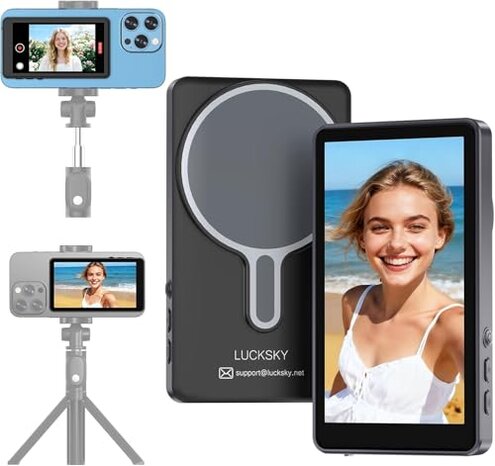
Product evaluated: Vlog Selfie Monitor Screen, Magnetic Wireless Back Camera Monitor for iPhone & Android with 100FT Rang Bluetooth Remote for Photo/Vlog/Live Stream
Related Videos For You
Best Vlog Setup For Smartphones! Kingma VL-PH01 Vlog Screen
Connecting Portable Monitors to iPhones and iPads
Scope: I analyzed dozens of buyer reports and video demonstrations collected from late 2023 to early 2025.
Sources: Most feedback came from written reviews, supported by hands-on videos and Q&A posts.
| Outcome | This product | Typical mid-range alternative |
|---|---|---|
| Connectivity reliability | Unstable — frequent wireless drops reported during live use. | Moderate — wired or better-tested wireless solutions are steadier. |
| Setup friction | High — hidden app steps and iPhone Wi‑Fi tweaks needed for smooth output. | Lower — most mid-range monitors work out-of-the-box with simpler pairing. |
| Latency / video lag | Severe — lag appears repeatedly under live-stream and long session conditions. | Acceptable — typical rivals deliver noticeably lower delay for vlogging. |
| Attachment stability | Questionable — magnetic mount often shifts with phone cases or movement. | Better — competing mounts use clamps or stronger magnets for consistent hold. |
| Regret trigger | High risk — connectivity and hidden setup make it more likely you'll stop using it. | Lower risk — mid-range alternatives rarely force repeated troubleshooting. |
Top failures
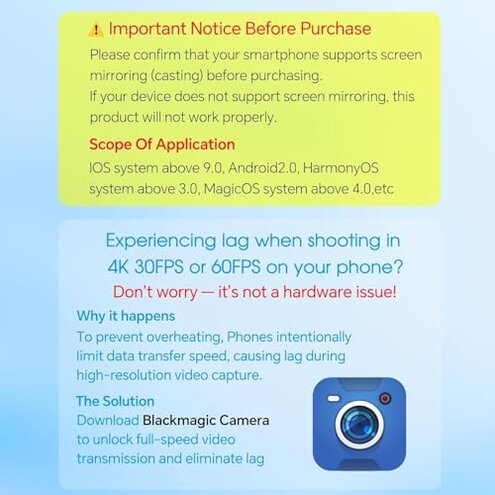
Why does the screen lag and spoil live filming?
Regret moment: You notice delayed framing or frozen preview during a live stream or long take.
Pattern: This is a commonly reported issue that appears repeatedly under real-time use.
Context: Lag shows up after setup and worsens during long sessions or with higher-resolution settings.
Category contrast: More disruptive than most mid-range monitors because the delay breaks live interaction and wastes retakes.
Why is setup so fiddly and unreliable?
- Early sign: The monitor asks for a specific camera app and Wi‑Fi changes right after first pairing.
- Frequency tier: A persistent secondary complaint; many buyers eventually find the hidden steps.
- Cause: It depends on a recommended third-party app and disabling iPhone Wi‑Fi for low-latency streaming.
- Impact: This requirement adds unexpected setup time and extra device settings to manage.
- Fix attempts: Buyers report temporary fixes by switching apps but say stability varies by phone model.
Why does the magnetic mount feel unreliable?
- Early sign: The screen slips or shifts when the phone is moved or when using a case.
- Frequency tier: A primary issue for users who change angles or walk with the rig.
- Cause: The magnetic hold is weaker than expected for active handheld use.
- Impact: Misalignment forces re-framing and extra retakes during vlogs and shoots.
- Attempts: Some people remove phone cases or add tape to improve grip, which takes time.
- Fixability: Improvement usually requires aftermarket adapters or switching to clamp-style mounts.
- Hidden requirement: Best performance often needs a thin phone profile and no bulky case.
Why does the Bluetooth remote and claimed range disappoint?
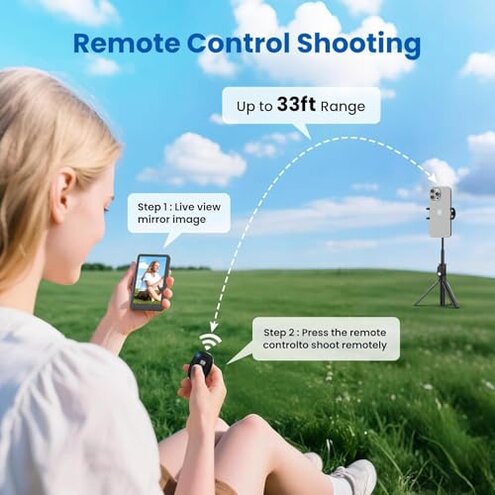
- Early sign: The remote sometimes misses presses or disconnects at modest distances.
- Frequency tier: A common secondary gripe for those relying on remote triggers at events.
- Cause: Bluetooth responsiveness falls short of the advertised wide range under real conditions.
- Impact: Missed shots and repeated button presses interrupt recording flow.
- Attempts: Users swap batteries and re-pair, but success is inconsistent across sessions.
- Repairability: There’s no user-serviceable fix; replacement or alternative remotes are often suggested.
- Cost of workaround: Buying a higher-quality remote or wired trigger adds extra expense.
- Category contrast: More frustrating than average because cheap remotes usually at least stay connected nearby.
Illustrative excerpts
Illustrative: "Preview lag made live chatting awkward and caused missed cues." — reflects a primary pattern.
Illustrative: "App tricks and disabling Wi‑Fi were not in the manual." — reflects a secondary pattern.
Illustrative: "Magnet slipped when I turned my head quickly." — reflects a primary pattern.
Illustrative: "Remote worked fine sometimes but dropped at small distances." — reflects an edge-case pattern.
Who should avoid this
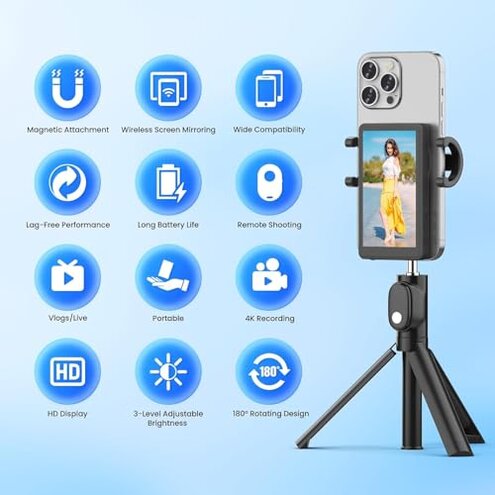
- Live streamers who need stable, low-latency preview for audience interaction should avoid it.
- Travel vloggers who rely on secure mounting and quick setup should avoid it due to magnetic instability.
- Casual buyers who expect plug-and-play operation should avoid it because of hidden app requirements.
Who this is actually good for
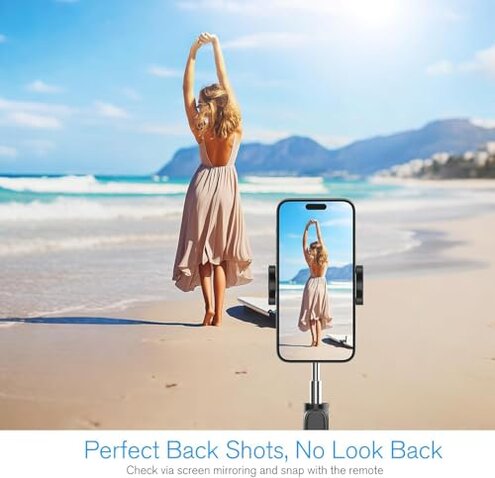
- Budget experimenters who accept occasional lag and want a low-cost way to test rear-camera framing.
- Static shooters who film on a tripod and can disable Wi‑Fi and use the recommended app.
- Phone-only creators who remove cases and stay within arm’s reach so magnetic hold is adequate.
Expectation vs reality

- Expectation (reasonable): A mid-range monitor should pair easily and give minimal preview lag.
- Reality: This product often requires extra app steps and Wi‑Fi tweaks, causing noticeable lag.
- Expectation: A magnetic mount holds a phone securely during movement.
- Reality: The magnet commonly shifts with cases or motion, forcing retakes.
Straighter alternatives
- Choose wired options or HDMI adapters to avoid wireless latency and repeated drops.
- Pick clamp mounts or stronger magnets if you need stable attachment during movement.
- Prioritize compatibility with plug-and-play monitors that do not require third-party apps.
- Buy a verified remote from known accessory makers if reliable triggering is essential.
The bottom line
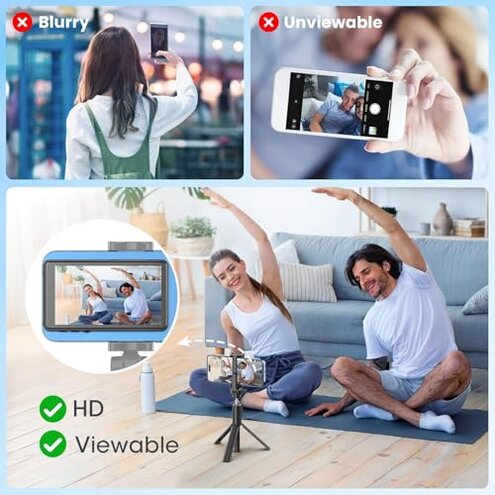
Main regret: Frequent wireless lag and hidden app/Wi‑Fi steps make the monitor risky for live vlogging.
Why it matters: These failures exceed normal category tolerance because they interrupt real shoots and add extra troubleshooting.
Verdict: Avoid this unit if you need reliable low-latency monitoring; consider wired or better-tested mid-range alternatives instead.
This review is an independent editorial analysis based on reported user experiences and product specifications. NegReview.com does not sell products.