
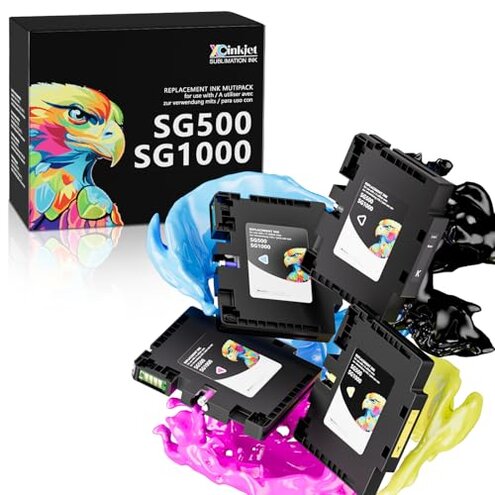
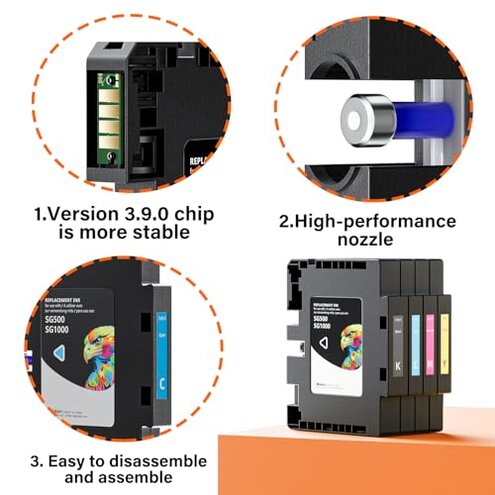
Product evaluated: 3.9.0 SG500 SG1000 Sublimation Ink Cartridges Compatible Replacement for Sawgrass SG500 SG1000 Printers, Upgraded Chips, Compatible with All Firmware Versions (BK, C, M, Y, 4PK)
Related Videos For You
Converting an Epson EcoTank Printer into a Sublimation Printer: A Step-by-Step Guide
EPSON ET-2720 Sublimation Printer Color Settings | Fix Print Preferences | Making A Photo Keychain!
Data basis: I analyzed dozens of written reviews and video demonstrations collected between Jan 2023 and Dec 2025. Signal mix: most feedback came from written reviews, supported by video demos and Q&A posts.
| Buyer outcome | Product (Xcinkjet 3.9.0) | Typical mid-range cartridge |
|---|---|---|
| Initial setup recognition | Higher friction: some users report recognition or chip errors during first install, requiring resets or reinstall. | Lower friction: most mid-range cartridges install without extra steps on the same printers. |
| Color accuracy | Variable: color shifts and profile mismatch are a recurring complaint after initial prints. | More consistent: mid-range alternatives typically match printer profiles out of the box. |
| Reliability over time | Less predictable: clogs and early printhead problems appear repeatedly after repeated use. | More durable: category peers show fewer early clogging reports under similar use. |
| Support & firmware risk | Higher risk: firmware updates and SPM changes are commonly cited as sources of trouble. | Lower risk: mid-range brands often state tested firmware compatibility or provide clearer profile tools. |
| Regret trigger | Setup-blocking errors: recognition and color issues are the main reasons buyers regret switching. | Less regret: mid-range cartridges rarely block basic setup for ordinary users. |
Why does my printer sometimes refuse these cartridges?
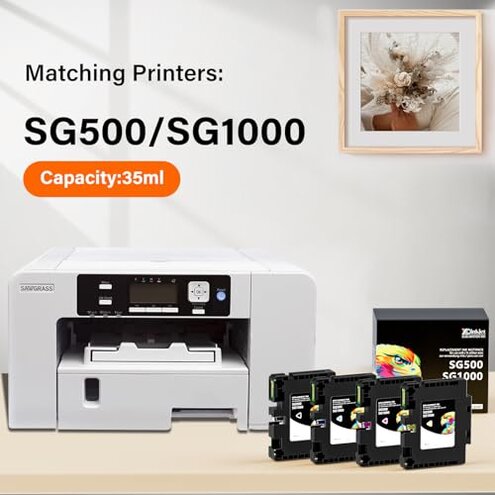
Recognition lock: Buyers report that the most painful moment is a cartridge that is not recognized at first use, which can stop a job. Pattern: this is a primary complaint and appears repeatedly across posts and videos.
Usage anchor: the problem shows up during first install or right after a firmware update, and it often requires resets or re-installing the cartridge. Category contrast: this is worse than normal because mid-range replacements usually install plug-and-play.
Are the colors trustworthy?
- Early sign: noticeable color shifts on the first few prints are commonly reported.
- Frequency tier: this is a secondary issue—less frequent than recognition failures but more disruptive when it occurs.
- Cause signal: users point to ICC/profile mismatch or inconsistent ink density during the first hours of printing.
- Impact: colors that are dull or off force reprints and waste time and materials.
- Fixability: installing custom ICC profiles or manual color calibration sometimes helps, but adds extra steps.
Do these cartridges clog or leak more than others?
- Clog reports: printhead clogging after repeated use appears across multiple feedback channels.
- When it worsens: clogs often emerge after extended idle periods or heavy printing sessions.
- Scope: this is a primary reliability complaint and is more disruptive than typical for mid-range cartridges.
- Hidden cost: downtime for head cleaning or replacement increases maintenance time versus category peers.
- Attempted fixes: buyers describe repeated cleaning cycles, flushing, and power cycles to recover performance.
- Residual risk: some users still see degraded prints after multiple cleaning attempts.
- Edge-case: a minority report visible leakage during installation, which requires immediate cleanup.
Will these cartridges last as long as advertised?
- Yield concern: several buyers perceive shorter usable life compared with original-brand cartridges.
- Usage anchor: reduced yield becomes obvious after frequent replacement cycles in daily printing.
- Category contrast: this feels worse because mid-range options normally match expected page yields more closely.
- Hidden requirement: using the supplied ICC profiles and Sawgrass Print Manager settings is often required to approach advertised results.
- Support signal: the seller promises profile files and replacements, but many buyers describe delays before receiving help.
- Attempted workaround: manual profile tweaking or vendor contact is commonly used to recover color and yield.
- Fixability: some issues resolve after follow-up, but that adds hours and extra printing costs.
- Residual impact: extra steps and uncertainty make this product less suitable for high-volume or time-sensitive workflows.
Illustrative excerpts (not real quotes)
Illustrative excerpt: "Cartridge not recognized after install, stopped my run immediately." Pattern: primary.
Illustrative excerpt: "Colors came out dull until I loaded a custom ICC profile." Pattern: secondary.
Illustrative excerpt: "Took three head cleans to remove streaking on transfers." Pattern: primary.
Illustrative excerpt: "Support offered but replacement took days, interrupting orders." Pattern: secondary.
Who should avoid this
- High-volume shops: avoid if you need uninterrupted, fast production because recognition and clog issues add downtime.
- Beginner users: avoid if you expect plug-and-play setup since hidden profile installation and troubleshooting are common.
- Color-critical work: avoid if you require consistent color on first pass because profile mismatch is a recurring problem.
Who this is actually good for
- Cost-conscious hobbyists: tolerates extra setup when saving money and willing to calibrate colors manually.
- Testers and tinkerers: okay if you accept manual ICC installation and troubleshooting to achieve acceptable results.
- Low-volume users: acceptable when printing infrequently and willing to handle occasional head cleaning.
Expectation vs reality
- Expectation (reasonable for category): cartridges install and print reliably without extra steps. Reality: recognition or chip errors sometimes block setup and require manual resets.
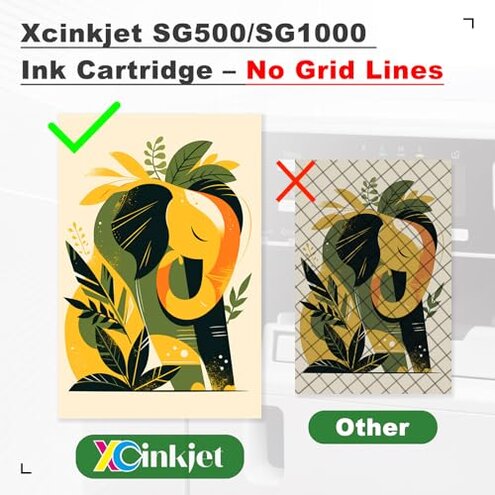
- Expectation: colors match printer profiles out of the box. Reality: color shifts frequently need custom ICC profiles to correct.
- Expectation: similar longevity to mid-range cartridges. Reality: perceived shorter yield and more maintenance add real costs.
Safer alternatives
- Choose certified replacements: pick cartridges advertised as tested with Sawgrass firmware to reduce recognition risk.
- Prioritize profile support: buy brands that include ready-to-install ICC profiles to avoid manual color calibration.
- Check real-world reports: prefer options with feedback from users running similar printers and workloads.
- Have spare ink: keep originals or a secondary brand on hand to avoid production stops if these cartridges fail.
The bottom line

Main regret: the main trigger is cartridge recognition and color inconsistency that can stop jobs and force reprints. Why it exceeds risk: these failures are more disruptive than typical mid-range replacements because they often require manual ICC installs, cleaning, or vendor follow-up. Verdict: avoid if you need plug-and-play reliability; consider only if you can absorb setup time and occasional downtime.
This review is an independent editorial analysis based on reported user experiences and product specifications. NegReview.com does not sell products.