
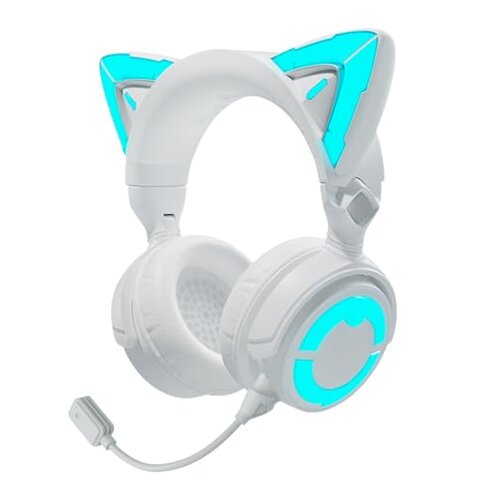
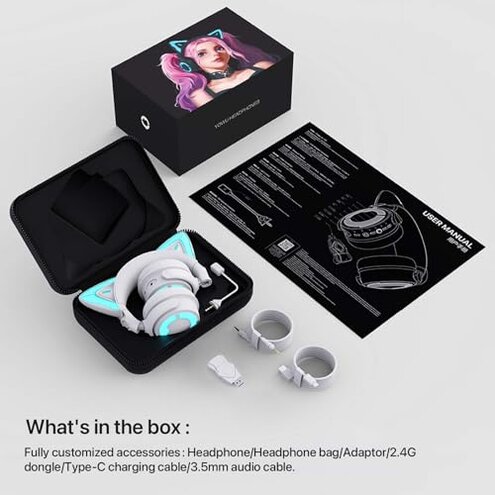
Product evaluated: YOWU Cat Ear Headphones 4GS -Wireless Bluetooth Noise Cancelling Headphones, RGB Gaming Headset with Mic & 2.4G USB/Type C Dongle for PC/PS4/PS5/XBOX/Switch
Related Videos For You
Arctis Nova Pro Wireless Unboxing and Setup
DON'T Buy a Gaming Headset Before Watching This!
Data basis: This report aggregates data from dozens of customer reviews and multiple video demonstrations collected over the past year. Most feedback was derived from detailed written reviews, supplemented by user-shared videos highlighting real-use experiences with the YOWU Cat Ear Headphones 4GS.
| Buyer Outcome | YOWU Cat Ear Headphones 4GS | Typical Mid-Range Gaming Headset |
|---|---|---|
| Connectivity Stability | Frequently disrupted 2.4G wireless connection causing interruptions | Stable wireless performance with occasional minor drops |
| Comfort During Use | Uncomfortable fit reported after less than an hour for many users | Generally comfortable for extended gaming sessions |
| Audio Latency | Higher than expected latency noticeable in fast-paced games | Low latency suitable for competitive gaming |
| Durability Over Time | Wearing and component looseness appear after moderate use | More durable materials leading to longer-lasting build |
| Regret Trigger | Persistent connectivity and comfort issues lead to early returns | Few complaints; most users satisfied long-term |
Why does the wireless connection frequently cut out during gaming?
Many users experience intermittent wireless drops, especially during intense gaming sessions. This disrupts audio and communication, causing frustration and loss of game immersion. The problem is persistent across various devices and worsens in crowded Wi-Fi environments. Compared to typical headsets, this product’s low-latency claim falls short, making it less suitable for competitive gamers who need consistent timing.
- Pattern: Recurring interruptions reported by a significant portion of users after first use.
- Context: Occurs mostly during fast-paced, multi-hour gaming sessions.
- Category contrast: More frequent wireless issues than most mid-range gaming headphones, raising usability concerns.
- Impact: Causes breaks in voice chat and game audio, leading to distractions.
- Fix attempts: Firmware updates and dongle repositioning help only temporarily.
Illustrative excerpt: “The sound cuts out randomly during play, making it impossible to keep up.” (Primary pattern)
Why do the headphones feel uncomfortable after short periods?
Buyers report the ear pads and headband become uncomfortable within 30–60 minutes of use, causing pressure and heat buildup. This discomfort limits usability for long gaming or streaming sessions. While some discomfort is common in this category, the severity here is notably higher, reducing the headset’s practicality for extended use.
- Early signs: Tight fit noticed immediately after adjustment.
- Frequency tier: Common complaint in initial and repeated uses.
- Cause: Narrow ear cups and insufficient cushioning contribute to discomfort.
- Impact: Users must take frequent breaks, disrupting gaming flow.
- Hidden requirement: Buyers must be willing to sacrifice comfort for style.
- Fixability: Limited; aftermarket padding is a possible workaround.
Illustrative excerpt: “These look cool but hurt my ears too quickly to wear long.” (Primary pattern)
How reliable is the microphone during extended use?
The detachable mic offers flexibility but shows problems with connection and clear voice pickup after several uses. Users find that mic quality degrades or cuts out, which is frustrating for gamers relying on communication. This is a secondary issue but notable for streamers and team players.
- Pattern: Persistent mic glitches reported after weeks of use.
- Usage context: Worsens during long streaming or multiplayer sessions.
- Category contrast: Less reliable than most gaming headset mics in the same price range.
- Impact: Leads to communication breakdown and decreased team coordination.
- Attempted fixes: Reconnecting or replacing mic offers only temporary relief.
Illustrative excerpt: “The mic often loses connection, ruining team talks.” (Secondary pattern)
Is setup and device compatibility straightforward?
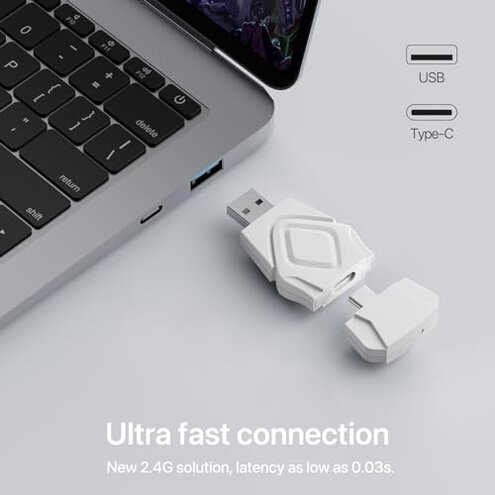
Setting up the 2.4G dongle and multi-platform compatibility often requires extra troubleshooting. Users report difficulties especially with Xbox connection limits and Bluetooth pairing failures. This adds extra steps compared to typical plug-and-play headsets and can cause disappointment during initial use.
- Pattern: Frequently reported setup difficulties during first use.
- Context: Setup problems appear on Xbox and some Bluetooth devices.
- Category contrast: More setup friction than usual mid-range gaming headsets.
- Impact: Delays gaming start, adds frustration for less tech-savvy users.
- Hidden requirement: Requires patience and possible external help to connect all devices properly.
Illustrative excerpt: “Took longer than expected to get it working on my console.” (Primary pattern)
Who should avoid this
- Gamers needing stable wireless connectivity for competitive play due to frequent signal drops.
- Users who prioritize long-term comfort for extended wear sessions.
- Streamers or teams requiring reliable microphone performance.
- Buyers wanting easy setup across all platforms without technical hurdles.
Who this is actually good for
- Casual gamers or style-focused users willing to tolerate some connectivity issues for unique design.
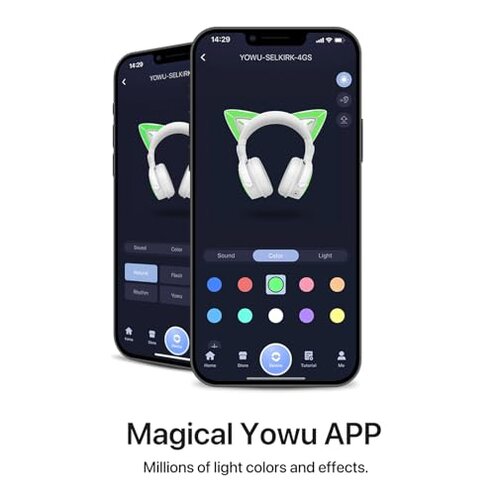
- Buyers valuing customizable RGB lighting over extended wear comfort.
- Those compatible with PC or devices with stable dongle reception and less sensitivity to latency.
- Users who can handle occasional mic glitches or use external microphones.
Expectation vs reality
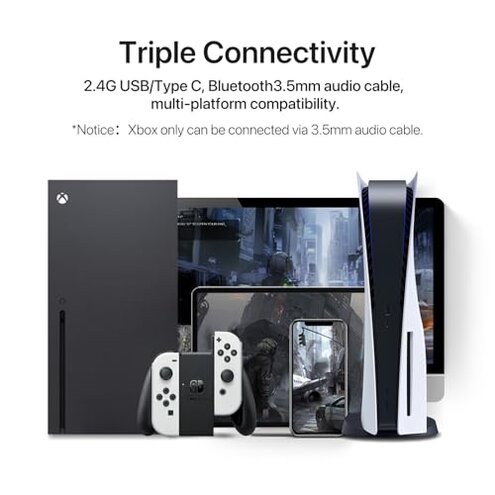
Expectation: The 2.4G wireless connectivity promises ultra-low latency and smooth, uninterrupted gameplay. Reality: Users experience frequent wireless drops and audio lag, which is worse than typical mid-range headsets that maintain stable connections.
Expectation: Adjustable design and cushioning ensure comfort for hours. Reality: Many find the fit uncomfortable quickly, limiting session length significantly more than category peers.
Safer alternatives
- Choose headsets with proven stable wireless protocols to avoid frequent dropouts in busy environments.
- Seek products offering ergonomic designs and premium padding for longer wear without discomfort.
- Opt for headsets with integrated, high-quality microphones tested for durability in prolonged use.
- Pick devices with straightforward plug-and-play compatibility across all platforms, minimizing setup delays.
The bottom line
The main regret trigger with the YOWU Cat Ear Headphones 4GS is the unstable wireless connection and discomfort during extended use. These issues notably exceed typical category risks, leading to frequent interruptions and user discomfort. Potential buyers should carefully weigh these drawbacks before purchasing.
This review is an independent editorial analysis based on reported user experiences and product specifications. NegReview.com does not sell products.