
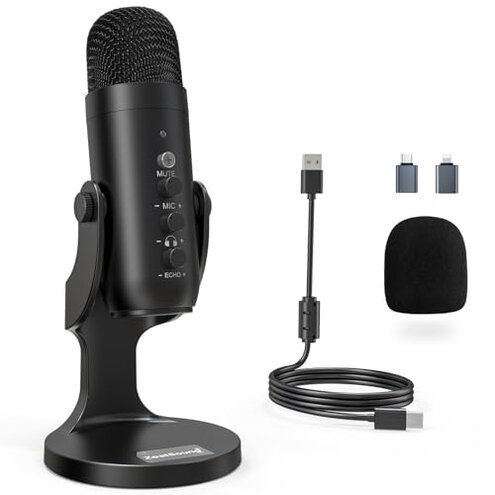
Product evaluated: ZealSound USB Microphone,Condenser Computer PC Mic,Plug&Play Gaming Microphones for PS 4&5.Headphone Output&Volume Control,Mic Gain Control,Mute Button Vocal,YouTube Podcast on Mac&Windows(Black)
Related Videos For You
RODE NT-USB Microphone: How to setup and start recording
USB MICROPHONE NOT WORKING: TROUBLE SHOOTING TIPS
Analysis basis Dozens of written and video-illustrated buyer notes were aggregated between 2021 and early 2026. Most feedback came from written reviews, supported by short demonstration videos and Q&A posts.
| Outcome | ZealSound USB Mic | Typical mid-range USB mic |
|---|---|---|
| Setup time | Often longer due to adapter fiddling and input switching. | Usually quick with direct USB-C or stable USB-A connection. |
| Sound reliability | Intermittent spikes and background hiss reported more often than expected. | Consistent noise floor and fewer false gain jumps. |
| Stability | Prone to wobble and vibration pick-up from the metal base on desks. | More stable designs or dedicated shock mounts common at this price. |
| Compatibility | Requires adapters for phones and some laptops, causing extra connection failures. | Native ports or well-documented adapter use reduce friction. |
| Regret trigger | High risk of disrupted sessions from connectivity and noise—worse than typical for this category. | Lower risk of session disruption with common mid-range models. |
Top failures
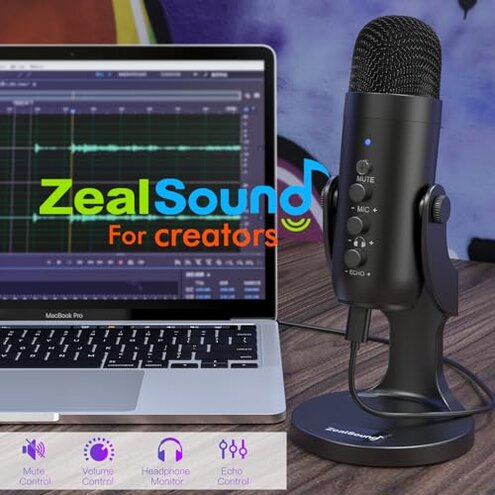
Why does the mic lose connection or require constant adapter fiddling?
Recurring pattern Many buyers report connectivity failures that appear during first use and after everyday plugging and unplugging. Usage context The problem shows up when switching between PC, phone, and tablet with the included adapters.
Category contrast This is more disruptive than typical budget USB microphones because the product advertises seamless phone compatibility but often adds extra steps to make it work.
Why is background noise and gain jitter a problem?
- Early sign You may hear a hiss or sudden volume jump during calls.
- Frequency tier This is a primary complaint reported commonly across buyer notes.
- Probable cause Users attribute it to internal gain circuitry and high sensitivity in noisy rooms.
- Impact It interrupts live streams and recorded podcasts, forcing retakes.
- Fix attempts Turning gain down helps but reduces voice presence and clarity.
Why does the stand wobble and pick up desk vibration?
- Build note The metal base often fails to prevent movement on cluttered desks.
- Usage context Vibration becomes obvious during typing or when a nearby phone vibrates.
- Frequency tier This is a secondary but persistent complaint across multiple demonstrations.
- Hidden requirement Many buyers needed an extra shock mount or foam pad to stop rumble.
- Repair attempts Adding weight or anti-slip pads reduces wobble but adds cost and bulk.
- Category contrast Mid-range alternatives usually include better isolation or detachable mounts.
Why does "plug-and-play" not feel plug-and-play on some devices?
- Compatibility pattern Several buyers found that the included adapters do not always negotiate correctly with phones.
- When it shows up The issue appears at first connection and after system updates on phones or laptops.
- Cause Hidden driver or input-selection steps are often required to route sound correctly.
- Impact Sessions are delayed while users switch settings or reboot devices.
- Fixability Workarounds exist but need technical steps that many casual users find frustrating.
- Frequency tier This is a secondary complaint—less frequent than noise, but more frustrating when it occurs.
- Category contrast Typical mid-range models either avoid phone adapters or document clear steps to connect.
Illustrative excerpts
"Mic cut out mid-stream during a live game—had to reconnect twice." — reflects a primary pattern.
"Hiss gone when I lower gain, but my voice sounded thin afterwards." — reflects a primary pattern.
"Needed extra adapter and settings change to get phone audio working." — reflects a secondary pattern.
"Base vibrated when I typed; taped felt like the only fix." — reflects an edge-case pattern.
Who should avoid this
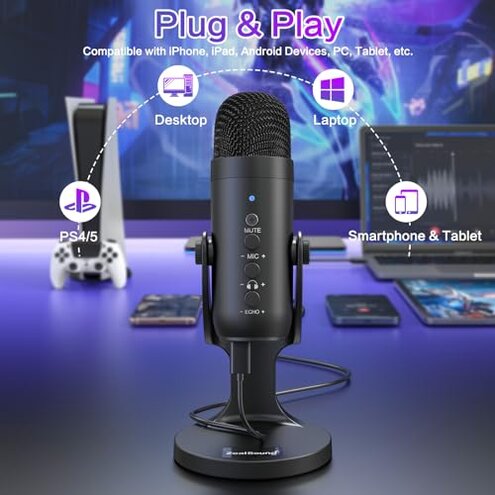
- Mobile creators who need reliable phone plug-and-play should avoid this because adapters often require extra steps.
- Live streamers who cannot tolerate mid-session disconnects or gain spikes should avoid this product.
- Minimalists who want no extra mounts or fixes should avoid this due to likely wobble and vibration pickup.
Who this is actually good for
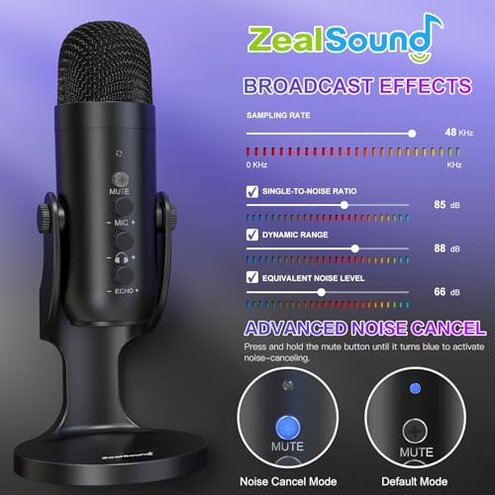
- Budget desktop podcasters willing to accept extra setup can get usable audio after tuning gain and setup.
- Casual gamers who stream occasionally and can tolerate one-time adapter fiddling will find this acceptable.
- Testers and tinkerers who own shock mounts or extra adapters can neutralize the main issues economically.
Expectation vs reality
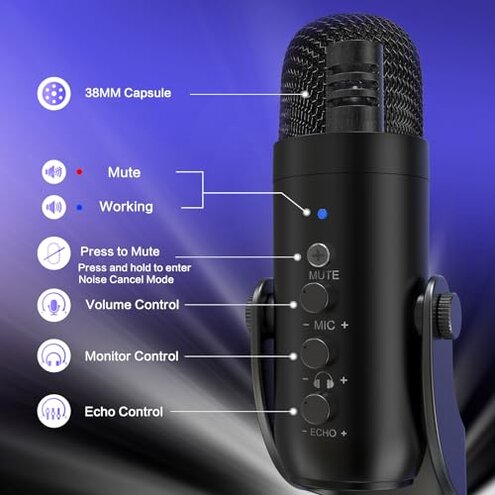
Expectation Reasonable for the category: plug-and-play phone use without extra setup. Reality Many buyers encounter adapter negotiation or input-selection steps that delay first use.
Expectation Clean voice capture at moderate gain. Reality Hiss and sudden gain jumps are more common than expected for mid-range mics.
Safer alternatives
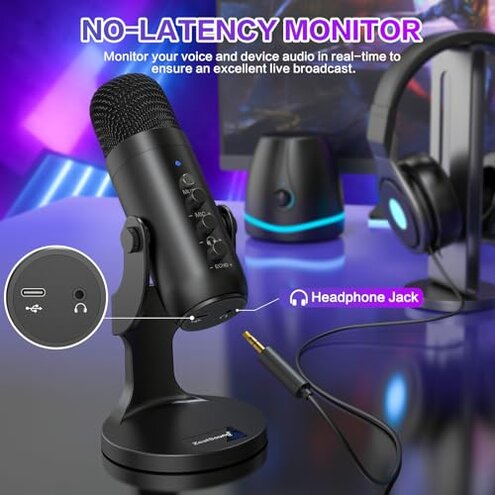
- Pick native ports Prefer mics with direct USB-C or native Lightning support to avoid adapter failures.
- Choose better isolation Look for models with included shock mounts or known stable bases to prevent desk vibration.
- Check documented compatibility Buy mics with step-by-step phone/laptop connection guides to reduce setup time.
- Prefer tested noise control Select models with proven low-noise preamps rather than relying on marketing claims.
The bottom line
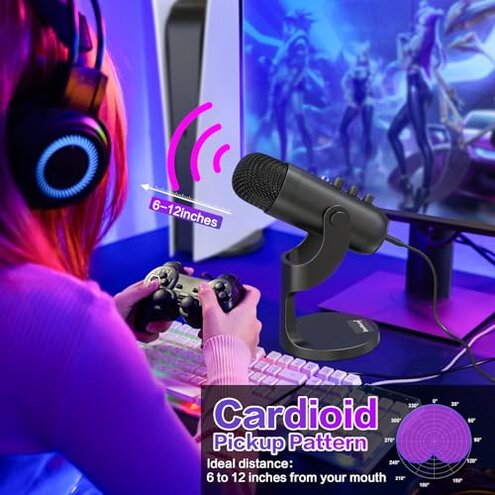
Main regret The product's biggest trigger is disrupted sessions from adapter and connection issues combined with background noise. Severity These problems exceed typical mid-range risk because they affect live use and require extra fixes.
Verdict Avoid this mic if you need reliable plug-and-play for phone or live streaming without extra adapters, mounts, or technical steps.
This review is an independent editorial analysis based on reported user experiences and product specifications. NegReview.com does not sell products.