
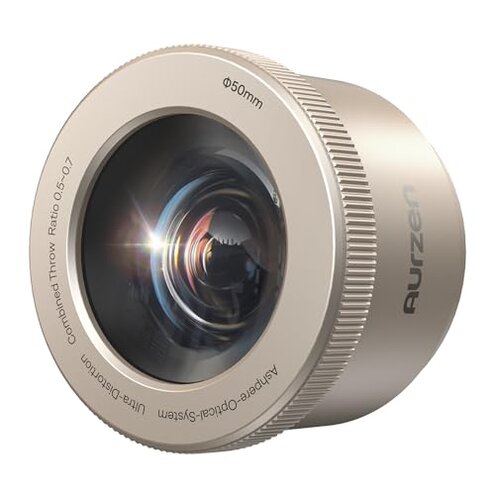
Product evaluated: Aurzen BOOM mini Google TV 4K Supported Smart Portable Projector with WiFi and Bluetooth, Outdoor & Home Movie Projector with 20W Speakers DoIby Audio, Real-Time Focus, 500 ANSI Lumens, Blue
Related Videos For You
You need it | Small projector | Magcubic | Unboxing | Home cinema #hy300
Samsung The Freestyle Projector Real World Review | The Gadget Show
Data basis This report is based on dozens of recent buyer impressions gathered from written feedback and video-style hands-on reactions collected across late 2024 to early 2026. Most usable signals came from detailed written reviews, with added context from setup demonstrations and living-room test clips that helped confirm where the frustration shows up during real use.
| Buyer outcome | Aurzen BOOM mini | Typical mid-range alternative |
|---|---|---|
| Streaming setup | Higher friction if you expect fast app sign-in and instant use | Usually simpler when the software is more mature |
| Room brightness | Less forgiving in ambient light despite the 500 ANSI lumen rating | About expected for dark-room movie use |
| Audio reliance | Better built-in sound, but that can hide other compromises | More average speakers, with fewer surprises elsewhere |
| Auto adjustment | Convenient at first, but more annoying when placement changes often | Often slower, but sometimes more predictable once set |
| Regret trigger | Paying projector money and still needing a darker room and more setup patience | Usually lower if expectations match category limits |
Why does it feel less bright than the listing makes you expect?
Primary issue for many shoppers is not that the projector is unusable. It is that the picture can look more washed out than expected after setup, especially when buyers assumed a flexible day-to-night experience.
Recurring pattern shows up during first use in living rooms, bedrooms, and backyard setups with ambient light. That disappointment feels more disruptive than expected because mid-range projectors already need dim rooms, and buyers still expected a bit more flexibility at this price.
- Early sign: The image looks acceptable at night, then loses punch fast when lamps, windows, or patio light enter the room.
- Frequency tier: This appears to be a primary complaint, mentioned more often than one-off defects.
- Usage moment: The problem shows up right after setup when buyers try casual daytime viewing or outdoor use before full darkness.
- Why it stings: The 500 ANSI lumen claim sounds solid on paper, but the real buyer impact is still a dark-room dependency.
- Category contrast: Most projectors in this class need low light, but this feels less forgiving than many shoppers reasonably expect from a smart all-in-one model.
- Workarounds: Buyers usually improve results by shrinking screen size, darkening the room, or waiting until night, which adds extra planning.
- Fixability: This is partly fixable with room control, but not if your goal is bright-room TV replacement.
Illustrative: “Looks nice at night, but daytime cartoons were hard to see.” Primary pattern.
Does the smart TV setup save time, or add another layer of hassle?
Secondary issue is software friction. The built-in Google TV is a real convenience feature, but repeated feedback patterns suggest the convenience depends heavily on your patience during account setup, app logins, and updates.
Not universal, but persistent enough to matter, this tends to appear on first use and after resets or network changes. That feels worse than a normal projector learning curve because the whole pitch here is fewer boxes, fewer dongles, and less effort.
Hidden requirement is reliable home WiFi plus extra sign-in time if you want the all-in-one promise to work smoothly. Buyers wanting a simple “plug in and watch” experience can feel trapped in menu work instead of movie time.
- Pattern: Feedback commonly points to setup drag rather than total failure.
- When it appears: It shows up during initial installation, app activation, and account linking.
- Worse conditions: It gets more frustrating when the projector is moved between rooms or used in places with weaker WiFi.
- Buyer impact: The extra steps undercut the value of having streaming built in, because the first session can feel more like device administration.
- Category contrast: Smart projectors are expected to need some setup, but this type of friction feels more annoying than typical when convenience is the main selling point.
- Attempts: Buyers usually retry pairing, re-enter passwords, or switch networks, which costs time more than money.
Illustrative: “I wanted movie night, not another TV login marathon.” Secondary pattern.
Is the auto focus and keystone actually helpful every time?
Persistent issue for a smaller but meaningful group is that the automatic picture adjustments are great when they work, but irritating when placement changes often. The regret moment happens after a bump, a table move, or a quick room switch, when the system needs to catch up again.
- Frequency tier: This is a secondary complaint, less frequent than brightness concerns but more frustrating when it happens.
- Usage context: It shows up after setup during daily use, especially in portable setups instead of permanent placement.
- Real-world trigger: Small movements, children nearby, or moving from bedroom to patio can restart the adjustment cycle.
- Impact: Buyers may lose the “set it and forget it” feeling and end up waiting for the image to settle again.
- Category contrast: Portable projectors often need occasional correction, but repeated auto-adjust behavior feels more disruptive than expected on a model marketed for quick convenience.
- Mitigation: The simplest fix is stable placement, which reduces the value of portability if that was your main reason for buying.
- Fixability: It is usually manageable, but only if you stop moving it much.
Illustrative: “Every little nudge turned into another wait-for-focus moment.” Secondary pattern.
Do the strong speakers make up for the projector trade-offs?
Edge-case regret comes from buyers who are impressed by the 20W audio, then realize sound quality does not solve picture or convenience limits. The speakers are a real strength, but they can also distract from whether the projector fits your room and habits.
- Pattern: This is not universal, but appears repeatedly in feedback from buyers comparing complete movie-night value.
- When it hits: It usually becomes clear after a few uses, once the novelty of louder built-in audio fades.
- Buyer trade-off: You may skip an external speaker at first, yet still feel the image and setup compromises were the more important factors.
- Category contrast: Better onboard sound is nice, but it does not reduce the higher-than-normal risk of room-light disappointment.
- Hidden effect: Buyers can overestimate the all-in-one value because one strong feature makes the whole package seem more complete than daily use confirms.
Illustrative: “The sound surprised me, but the picture still needed perfect conditions.” Edge-case pattern.
Who should avoid this
- Bright-room viewers should avoid it if you want TV-like daytime use, because the dark-room need appears more often than shoppers expect.
- Impatient setup users should pass if account linking, app sign-ins, and network steps already annoy you on other smart devices.
- Frequent movers should look elsewhere if you plan to shift it room to room, since auto adjustments can become a repeated interruption.
- Value-first buyers should avoid it if you judge a projector mainly by picture flexibility, not by built-in speaker quality.
Who this is actually good for
- Night-only users may be happy if you mostly watch in a dark bedroom or controlled living room and accept the brightness limit.
- Simple audio needs buyers may like it if avoiding an external speaker matters more to you than maximizing image punch.
- Fixed-placement owners can do well if the projector will stay on one shelf or one table, which reduces the auto-adjust annoyance.
- Google TV fans may accept the setup friction if you strongly prefer built-in streaming over managing extra devices.
Expectation vs reality
Expectation: A smart portable projector should handle casual viewing in mixed lighting. Reality: This one still leans hard on a dark environment, which is worse than many buyers expect from the feature list.
Expectation: Built-in streaming should remove hassle. Reality: It removes extra hardware, but can replace that with login and network friction.
Expectation: Auto focus should make portability effortless. Reality: It helps at first, yet frequent moves can turn convenience into small recurring delays.
Expectation: Reasonable for this category is some low-light dependence. Reality: The brightness trade-off can feel harsher than expected once buyers try living-room or backyard use before full darkness.
Safer alternatives
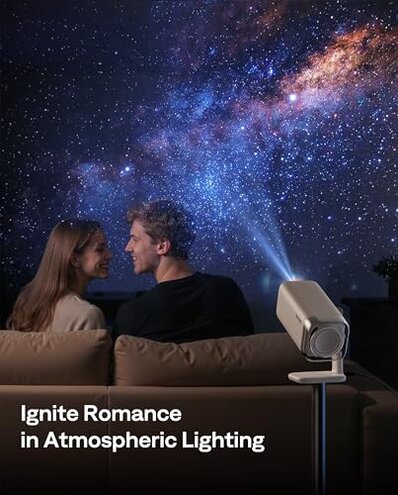
- Prioritize lumen realism by shopping for models praised specifically for mixed-light viewing if daytime or dusk use matters.
- Choose simpler software or add a separate streaming stick if you want easier troubleshooting and less dependence on built-in TV software.
- Favor fixed-use designs if the projector will move often, since stable placement reduces focus and keystone frustration.
- Test your room first by checking wall size, blackout options, and viewing time before paying for a projector marketed as portable convenience.
The bottom line

Main regret trigger is paying for an all-in-one smart projector and then discovering it still needs a darker room, more setup patience, or steadier placement than expected. That pushes its risk above a typical mid-range alternative because the convenience promise is exactly where some buyers feel let down. Verdict: avoid it if you want bright-room flexibility or truly low-friction setup; consider it only if your room is controlled and your expectations are narrow.
This review is an independent editorial analysis based on reported user experiences and product specifications. NegReview.com does not sell products.