
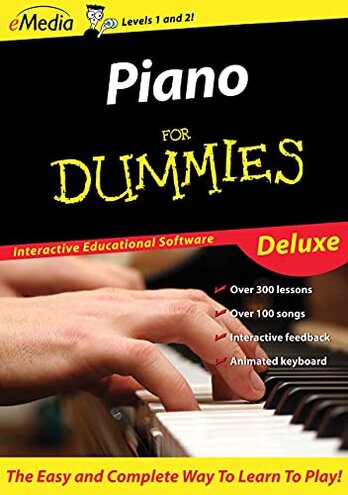
Product evaluated: eMedia Piano For Dummies Deluxe [PC Download]
Related Videos For You
How To Start Learning The Piano - Self Taught!
The BEST APPS To Help You Learn The Piano!
Data basis: This report summarizes dozens of feedback points gathered from written buyer comments and hands-on video demonstrations collected from 2021 to 2026. Most feedback came from written reviews, with added context from setup walkthroughs and use demos, which helps show where frustration appears during installation, lesson use, and note tracking.
| Buyer outcome | This product | Typical mid-range alternative |
| Getting started | Higher friction after download and setup, with more chances of delay before the first lesson. | Smoother start with fewer steps before basic use. |
| Lesson feedback | Less reliable when note or finger tracking does not behave as expected during practice. | More forgiving basic progress tracking, even if features are simpler. |
| Daily practice flow | More interruptions from software behavior that breaks focus during short sessions. | Steadier use with fewer stop-and-fix moments. |
| Compatibility risk | Higher-than-normal risk for this category because setup success can depend on your keyboard, audio path, and PC environment. | Lower risk with fewer hidden conditions for basic lessons. |
| Regret trigger | Paying for guidance but spending extra time troubleshooting instead of learning songs. | Accepting simpler tools but getting into practice faster. |
Why does setup feel harder than the lessons?
Primary issue: One of the most common regret moments appears at first use, when buyers expect a quick download and end up dealing with extra setup steps. The trade-off is clear: you are buying a beginner course, but the first barrier can feel more technical than beginner-friendly.
Pattern: This shows up repeatedly across feedback, not in every case, but often enough to shape buying risk. Compared with a reasonable software-course baseline, this feels less forgiving than expected for people who just want to sit down and start learning.
- Early sign: Setup questions start before practice, especially during download, install, activation, or device detection.
- Frequency tier: This is a primary complaint, and it appears more often than niche complaints about lesson content.
- Hidden need: A working PC setup and a compatible path for keyboard or audio input can become a real requirement.
- Impact: The software can add extra steps and time before your first useful lesson.
- Why worse: Many mid-range alternatives still need setup, but they usually ask for less troubleshooting before basic use.
What if the software does not recognize what you played?
Primary issue: Another major frustration appears during daily practice, when note tracking or feedback does not match what the learner believes they played. This is more disruptive than expected because the product promises interactive correction, so weak recognition undercuts its main selling point.
Pattern: The problem looks persistent rather than random when it happens, especially in sessions where users rely on feedback to fix timing or hand placement. In this category, some tracking errors are normal, but this feels more frustrating than typical because it can make beginners doubt themselves instead of helping them improve.
Worsens when: The issue tends to feel worse after setup, once users begin regular lesson practice and expect smooth response. Short practice sessions suffer most because a single feedback problem can eat the whole session.
Does it interrupt practice too often to stay motivating?
- Secondary issue: Practice-flow breaks are a secondary complaint, less frequent than setup trouble but still common enough to matter.
- When it hits: The regret appears mid-session, when learners pause to fix software behavior instead of repeating a lesson.
- Why it matters: Beginner music practice depends on rhythm and momentum, so interruptions feel bigger here than in many other software categories.
- Category contrast: A normal mid-range lesson tool may be basic, but it usually keeps practice moving with fewer stop points.
- User effect: Buyers can feel they are managing the program more than learning piano.
- Attempted workaround: People often try restarting or rechecking settings, which adds friction instead of confidence.
- Fixability: This can be partly fixable for some setups, but not predictable enough to reduce risk for all buyers.
Is the value hard to justify at this price?
- Primary concern: At $59.95, value complaints become more noticeable when setup or tracking gets in the way.
- Pattern strength: This is a recurring reaction, usually after buyers spend time troubleshooting and still do not get a smooth learning flow.
- Usage context: The feeling builds after several attempts, not just from a rough first impression.
- Why stronger here: In this category, buyers accept a learning curve, but they expect the software itself to reduce effort, not add it.
- Trade-off: The product offers video lessons and interactive features, but those extras matter less if core use feels unreliable.
- Regret moment: The common trigger is realizing the product may ask for more patience than practice.
Illustrative excerpt: “I wanted a lesson, not an evening of setup fixes.” Primary pattern tied to first-use friction.
Illustrative excerpt: “It says I missed notes I am sure I played.” Primary pattern tied to tracking frustration during practice.
Illustrative excerpt: “Every short session starts with checking settings again.” Secondary pattern tied to workflow interruptions.
Illustrative excerpt: “The lessons seem fine, but getting there feels annoying.” Secondary pattern tied to value erosion.
Who should avoid this
- Avoid it if you want a fast start with almost no setup tolerance.
- Avoid it if you are a true beginner who needs reliable feedback to trust what you played.
- Avoid it if your practice time comes in short sessions, because interruptions waste a bigger share of each session.
- Avoid it if you expect software in this price range to be plug-and-play like many mid-range alternatives.
Who this is actually good for
- Better fit for buyers willing to troubleshoot setup and treat that as part of the process.
- Better fit for learners who mainly want the lesson library and can tolerate imperfect tracking.
- Better fit for users with longer practice windows, where a few setup interruptions feel less costly.
- Better fit for people comfortable adjusting PC and keyboard settings to get interactive features working.
Expectation vs reality
Expectation: A beginner piano course should feel easy to launch after purchase.
Reality: Setup can become a real project before the first useful lesson.
Expectation: Interactive tracking should give clear confidence during practice.
Reality: When recognition feels off, it can create self-doubt instead of guidance.
Expectation: It is reasonable for this category to need some configuration.
Reality: The friction appears worse than expected because it can keep returning during normal use, not just once.
Safer alternatives
- Choose software with a clearly described device compatibility path for your keyboard or piano input.
- Prefer tools known for simple onboarding if you want to start lessons the same day.
- Look for trials or low-risk beginner apps to test tracking reliability before paying more.
- Favor lesson systems that still work well without advanced finger or note tracking.
- Check demo videos showing real setup and practice flow, not just feature lists.
The bottom line
Main risk: The biggest regret trigger is paying for guided piano learning and getting setup friction or tracking doubt instead. That exceeds normal category risk because beginner software should remove barriers, not create extra ones during first use and short practice sessions. Verdict: Avoid it if you want a smooth, low-effort learning start; consider it only if you can tolerate troubleshooting to access its lesson features.
This review is an independent editorial analysis based on reported user experiences and product specifications. NegReview.com does not sell products.